
Photo App for an Aesthetic Clinic: What to Require

Quick facts
- Purpose
- Choose where to store and compare clinical photos without mixing them with the personal gallery.
- Require
- Protected access, a clear storage location, export, deletion and control over sharing.
- Be wary of
- An app that does not say where it stores the photo, that uses the image for another purpose or that does not let you delete.
- Legal basis
- LGPD (Brazil's data protection law): purpose, necessity, security and transparency.
"Which app should I use to photograph my patients?" is a common question in small clinics. The most frequent answer is the phone's own camera, which works until the day someone asks where the photos are. They are in the personal gallery, synced to the personal cloud, in the same place as the family photos. Choosing a dedicated app, or at least a dedicated flow, solves a good part of the risk.
This page lists what to require from a photo app for an aesthetic clinic, from the standpoint of privacy and standardization, so you can compare options without relying on advertising.
Why is the phone camera not enough?
The regular camera takes the photo but does not take care of what comes next. The most frequent problems are:
- the photo lands in the gallery, mixed with personal photos;
- the gallery syncs with a personal cloud, sometimes in another country and outside your control;
- anyone with access to the device sees the images;
- there is no link between the photo and the patient (only the file name);
- it is easy to share by accident in a messaging group.
See the specific risks in phone gallery and patient photos and patient photo on personal WhatsApp.
What should I require on privacy?
A photo of the face is personal data and, in a health context, may be treated as sensitive data. The LGPD (Brazil's General Data Protection Law) asks for purpose, necessity, security and transparency. In an app, this translates into objective questions for the vendor.
If any of these answers is "I don't know" or is hidden, that is a warning sign. It is worth reading the terms before putting in the first patient photo.
What should I require on standardization?
Privacy solves custody. Standardization solves clinical usefulness. An app that helps repeat the framing reduces variation between visits.
| Feature | What it is for |
|---|---|
| Grid or framing guide | Center the face and keep the same proportion |
| Previous photo as a transparency | Repeat the position at the follow-up visit |
| Organization by patient and date | Find the right photo without searching the gallery |
| Same order of views | Keep frontal, oblique and profile views always in the same sequence |
| Lock exposure and focus | Avoid brightness variation between photos |
| No automatic filters | Prevent beautification that invalidates the record |
No app makes up for poor lighting or a camera at the wrong height. The foundation remains standardized clinical photography.
How do I compare two options?
Build a simple table with the criteria that matter for your clinic and give each one a score or a "yes/no." This avoids deciding based on how the app looks.
Who is responsible for the data?
In general, the clinic or the professional is the one who decides what the photos will be used for and therefore bears responsibility for the processing, even if a vendor stores the files. The vendor has its role, but choosing it is your decision. For legal questions about your case, consult a lawyer. More in consent and LGPD in patient photos.
Does the app need to store everything?
Not necessarily. There are two possible approaches:
- App as the official archive: the photos stay in the app, with controlled access, export and deletion.
- App as a tool, archive elsewhere: the photo is taken or used in the app and the official archive stays in the clinic's patient record system.
The second reduces the number of places where the photo exists, which also reduces the risk surface. Compare with storing patient photos and cloud for patient photos.
And Harmy, does it belong on this list?
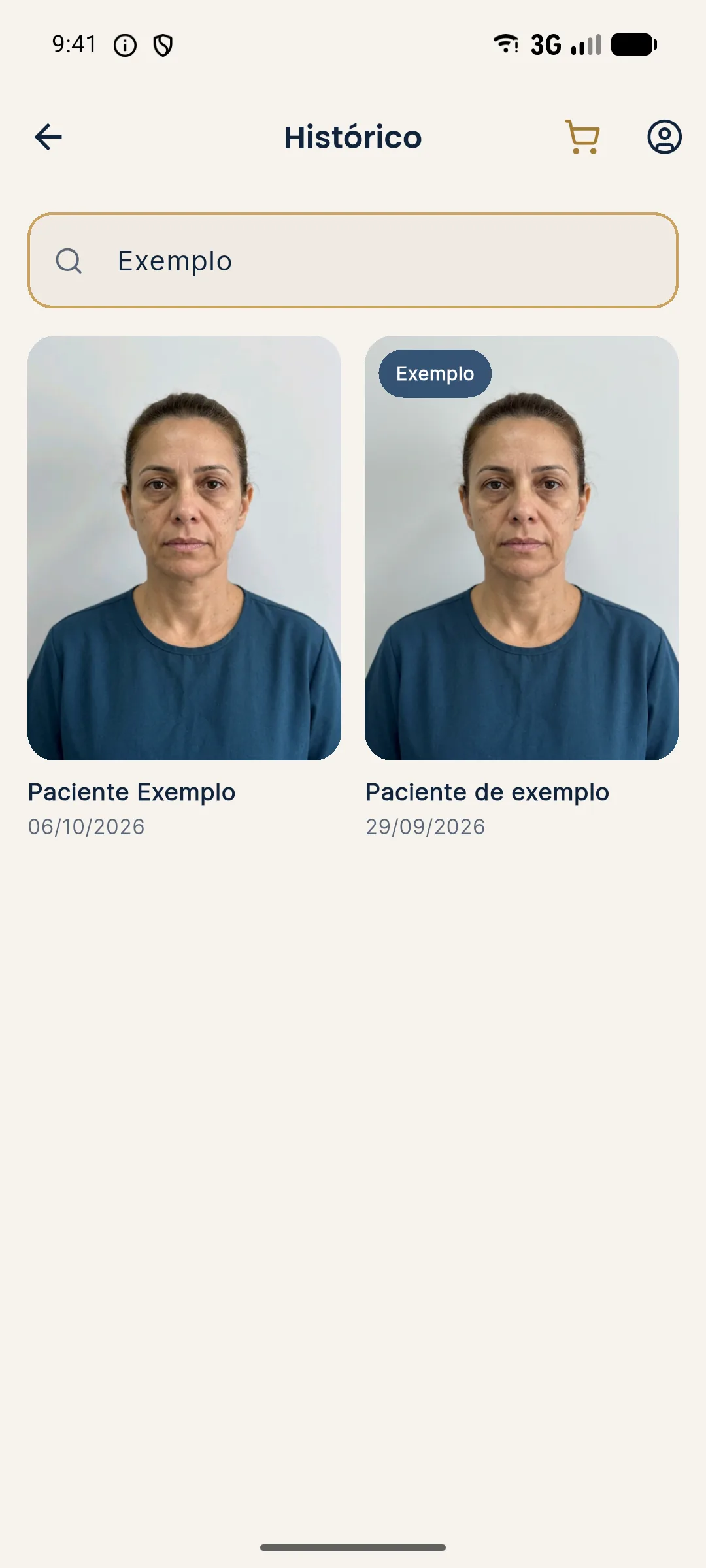
Harmy is not a photo record app. It is a projection tool: from a frontal photo, the app detects the face on the device, you mark the areas and volumes, and it generates the image of the after. The history keeps sessions by patient, with search by name.
On privacy, what the app states is objective: the photo is sent to a third-party AI to generate the image, with the professional's acceptance in the app, and the face contours are calculated on the device and are not stored. The projection is an illustrative simulation, not a promise of results, and is not part of the clinical record of the treatment.
Common mistakes when choosing
- Choosing by looks or price, without reading the data policy.
- Using a free app without knowing how the vendor makes money.
- Not testing deletion.
- Letting the team use everyone's personal app.
- Not having a rule about who can access what.
A photo app for a clinic does not need to be sophisticated. It needs to say where it stores, let you delete, protect access and help repeat the framing. If that is clear, the rest is detail.
Frequently asked questions
Can I use a regular camera app for patient photos?
You can, but the photo goes to the phone's gallery, mixed with personal photos and often synced to a personal cloud. For clinical photos, a separate flow with protected access is safer.
What should I check in the privacy policy of a clinical photo app?
Where the photos are stored, who has access, whether the vendor uses the image for another purpose, how deletion works and whether data is transferred to other countries.
Does the app need encryption?
It is an expected security requirement for health data, both in storage and in transit. The vendor should state it clearly, and the final decision on whether it is adequate is yours and the clinic's.
Does Harmy work as a photo record app?
No. Harmy generates the projection of the after from a frontal photo and keeps the session history by patient. It does not replace the patient record or the clinic's official photo archive.
Harmy images are illustrative simulations generated by AI from the patient's photo to support the conversation between practitioner and patient. They are not a promise of results. Indication, technique, product and volume are solely the decision of the licensed practitioner. This content is for information only and does not replace a clinical assessment.