
Clinic logo on the Harmy quote PDF: how to add it

The PDF quote is the document the patient takes home, shows to family and rereads before deciding. With the clinic logo at the top, it stops being a generic sheet and becomes a proposal from your brand. You set it up once, and Harmy applies it to every quote that follows.
Where do I add the logo?
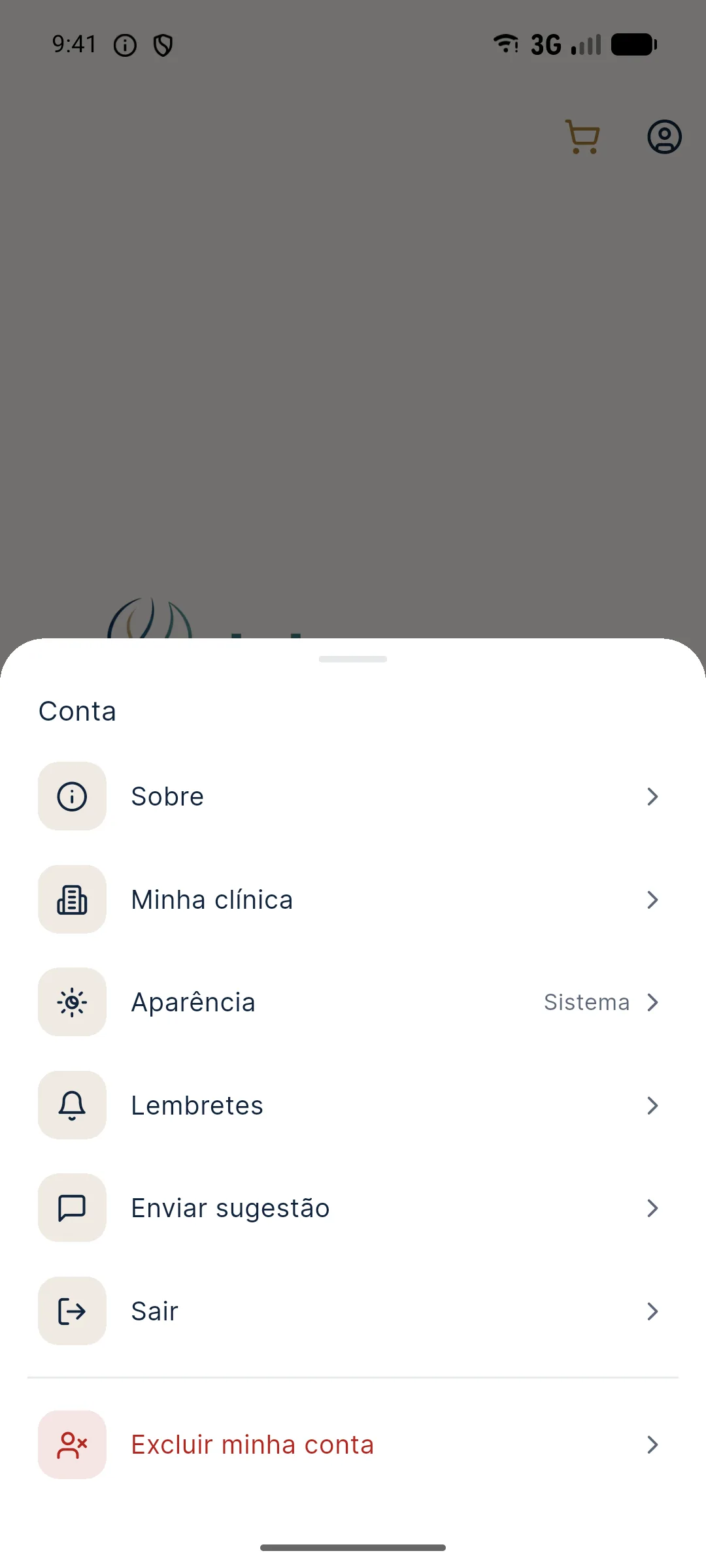
In Account › My clinic. The screen stores the logo, the clinic or professional name (up to 60 characters), the contact (WhatsApp or Instagram, up to 80 characters) and the price table per ml. The same logo appears on the share image and in the PDF.
Step by step
- Tap the profile icon, in the top right corner, and open My clinic.
- Tap Choose logo and select the image from the gallery.
- On the Frame logo screen, drag and use two fingers to fit the brand into the square frame.
- Tap Use this logo: the app saves the logo immediately.
- Fill in the name and contact and tap Save.
- Generate the quote from the Before / After screen, with the Quote button.
The logo is saved when you tap Use this logo; name, contact and prices are only saved after Save.
Which logo should I use?
Very horizontal logos end up small inside the square frame. If your brand is horizontal, prefer the isolated symbol or a compact version.
How does the brand look on the PDF?
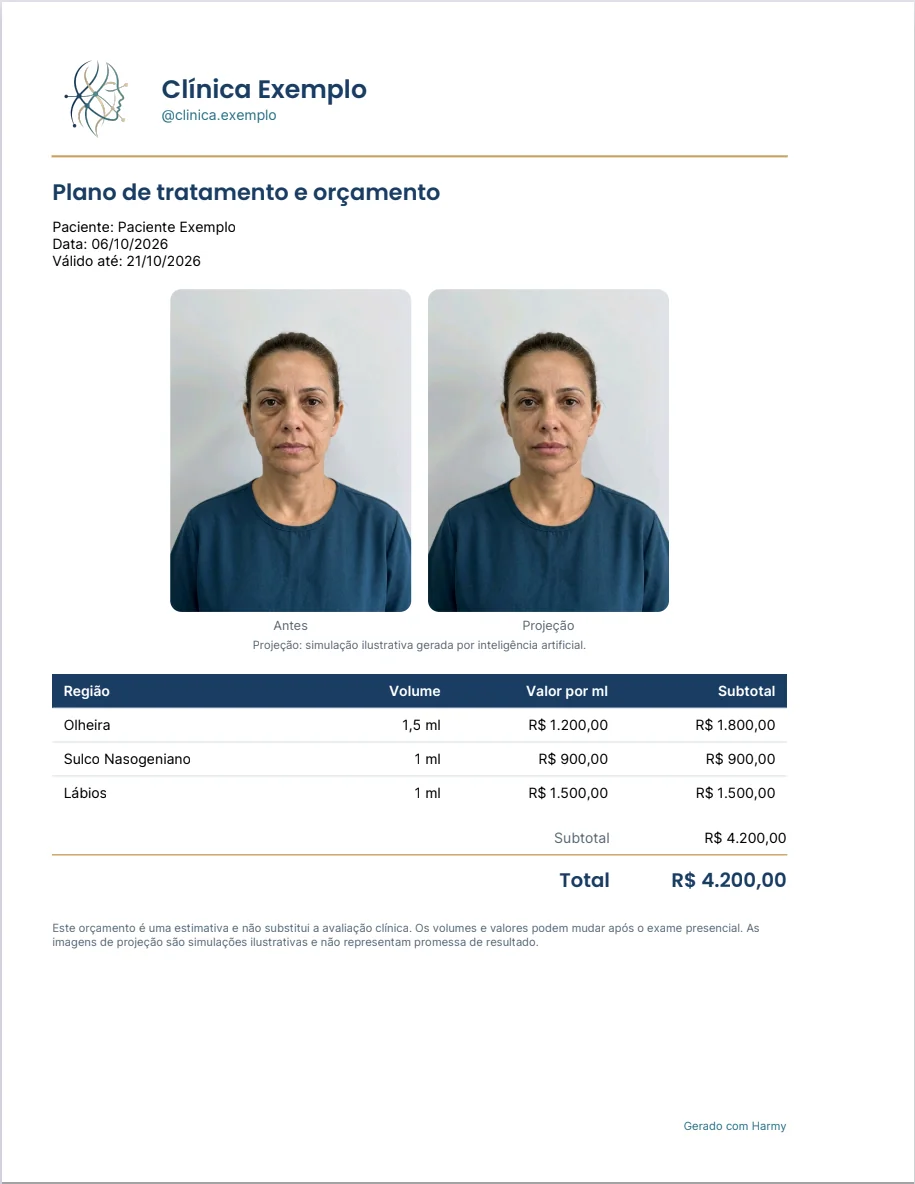
The document comes out with the clinic header (logo, name and contact), the title Treatment plan and quote, the patient's name, the date and the expiration date. If the images are included, Before and Projection appear side by side, with the simulation caption, followed by the table of areas, volumes and amounts.
Common problems
| Situation | What to do |
|---|---|
| White square around the logo | Use a PNG version with a transparent background |
| The logo looks small | Use the square symbol instead of the horizontal version |
| The logo does not appear on the PDF | Check that you tapped Use this logo and generate the PDF again |
| Name or contact missing | Check that you tapped Save after filling them in |
Tips
- Fill it in before the first quote. The first PDF already comes out with your brand.
- Use a contact you actually answer. Patients usually reply there.
- Change the logo in My clinic when you update your brand; only the next materials change.
- See the full flow in PDF quote and My clinic: logo and brand.
Brand consistency
It pays to keep the same logo, the same name and the same contact on all materials: shared image, PDF, business card and social media. When the patient receives a quote with the brand they have already seen on Instagram, the proposal gains credibility. If the clinic has more than one professional, decide which name goes in the header: the clinic's name usually works better for everyone.
After setting it up, generate a test quote with the sample patient and check the result on your own phone. This avoids surprises on the first real send and shows whether the logo is legible at the header size.
If the logo is changed in the future, remember that old PDFs keep the previous brand. This is useful as a record of what was sent to each patient and avoids confusion if an old quote is reopened months later.
Frequently asked questions
How do I put my clinic logo on the Harmy PDF?
In Account › My clinic, tap Choose logo, crop the image and tap Use this logo. PDFs generated afterward come out with the logo at the top.
Which logo format works best?
PNG with a transparent background, preferably in the square version or the brand symbol. The server accepts PNG files up to 2 MB.
Does the logo appear on PDFs I already sent?
No. Materials already sent do not change. Only PDFs generated after you add the logo come out with it.
Do I need to add the logo to generate the quote?
No. Without the clinic details the quote is generated normally, just without a logo, name or contact in the header.