
Compare the Projection and the Actual Result in Harmy

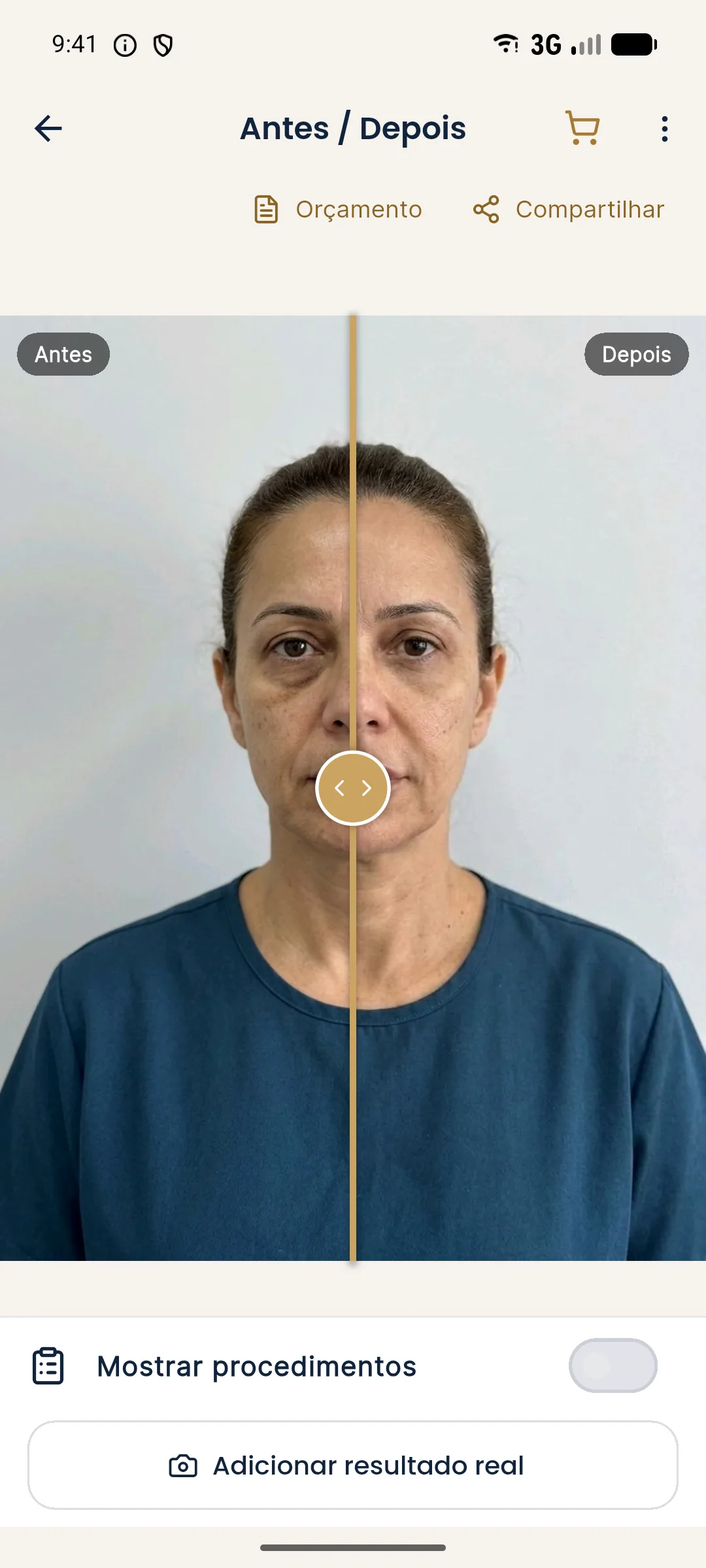
The projection answers the question "how could the plan turn out". The actual result answers "how did it turn out". Putting the two images in the same place, aligned, is one of the best ways to calibrate your own conversation with the patient and to track progress at the follow-up. Harmy does this alignment using the eyes, as long as the post-procedure photo is well taken.
What is the comparison for?
It serves three practical purposes: showing the patient what has changed since the before, checking how close the result came to the plan, and feeding the conversation about touch-ups. It is not proof of efficacy or advertising material: it is a clinical tool, tied to the patient's authorization.
Step by step
- Open History and tap the patient's card to open the projection.
- Tap Add actual result. The button doesn't appear right after generating the projection or on example projections.
- On the Actual result photo screen, the app shows the "before" photo as a transparent overlay on the camera, so you can fit the face in the same position.
- Take a photo or pick one from the gallery and tap Next.
- Wait for Aligning photo...: the app locates the eyes in both photos and adjusts the result photo.
- When Actual result added appears, use the selector to switch between comparison modes.
How to read the comparison
The difference between the projection and the actual result is not an error of the app or of the treatment. The projection is an illustrative simulation, made with an AI that keeps the skin, expression and lighting of the original photo. The actual result has residual swelling, individual response, daylight and the expression of the moment. Compare shape and proportion, not pixel by pixel.
| What to look at | Care when reading |
|---|---|
| Treated area | Compare the contour, not just the apparent volume |
| Symmetry | It can change with the head position in the photo |
| Skin and texture | The projection doesn't alter skin; the actual result can show the effect of the procedure |
| Recent swelling | An early photo does not represent the final result |
Tips for a comparable post-procedure photo
For the photo step by step, see aligned post-procedure photo in Harmy: how to take it and the general page on history and actual result.
Ethics and publishing
The comparison is for the patient chart and for the patient. For any use beyond that, specific consent and attention to advertising rules in Brazil are required. See what you can advertise under CFO and CONAR rules and consent and LGPD for photos. Never present the projection as if it were a result.
Common errors
| Situation | What to do |
|---|---|
| Aligned photo looks odd | Photograph again at the same distance and use Change result photo |
| I can't see the button | Open the projection from History, not from the screen right after generating |
| The patient compared and was disappointed | Go back over the simulation notice and discuss adjustments, if indicated |
Frequently asked questions
How do I compare the projection with the actual result in Harmy?
Open the projection from History, tap Add actual result and photograph the patient in the same position. After that, the selector on the Before / After screen offers the Projection vs Actual mode.
Does Harmy align the actual result photo automatically?
Yes. The app locates the eyes in both photos and adjusts the result photo to the size and position of the Before photo. It does not correct different lighting or a tilted head.
What comparison modes are there?
Three, in the same slider: Projection (Before and Projection), Actual result (Before and Actual result) and Projection vs Actual (Projection and Actual result).
Can I share the comparison with the actual result?
The app asks you to confirm that you have the patient's authorization. Having the photo in the app does not authorize you to publish it; that depends on specific consent.