
Why the Harmy projection is subtle and realistic
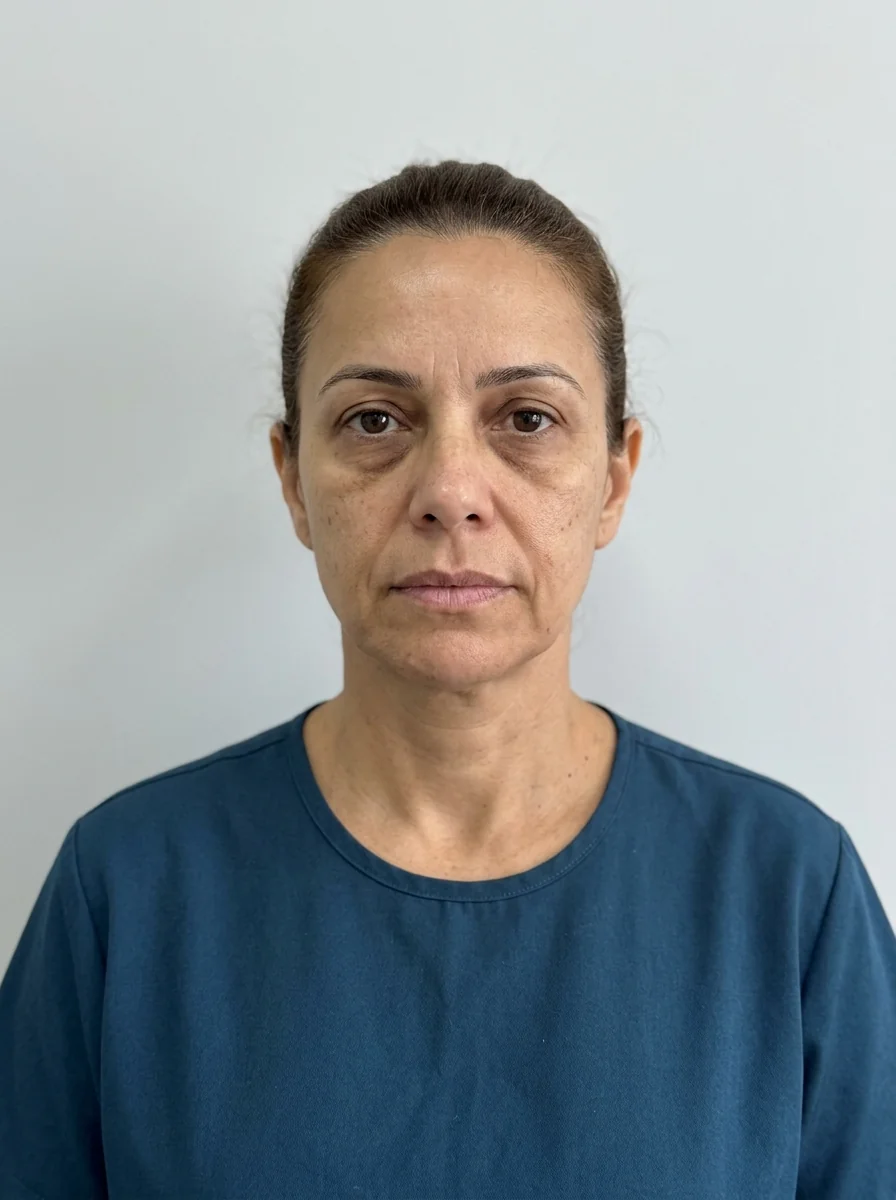
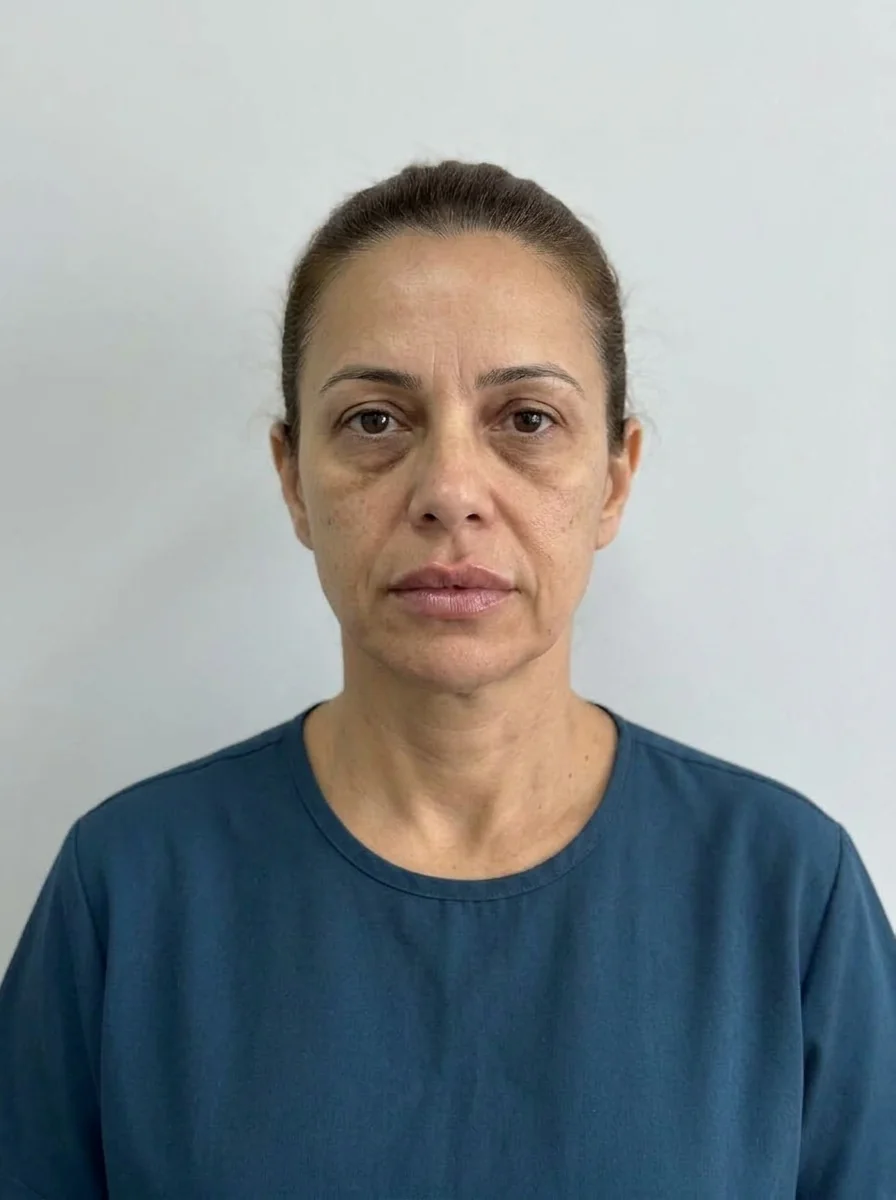 BeforeSimulation
People who see their first Harmy projection often comment that the difference is discreet. That is true, and it is on purpose. The projection was designed to be honest: it changes only what you marked, in proportion to the volume you entered, and leaves the rest of the photo as it is. This page explains what that means in practice and why it is an advantage in the consultation.
What does the projection change, and what does it not?
Harmy's AI receives the photo, the marked areas, and the volume and intensity of each one. The app's rules prohibit makeup, skin retouching and changes to expression, background, hair and lighting. The result is an image in which everything that was not marked stays the same as in the original photo.
| Changes | Does not change |
|---|---|
| Marked areas, in proportion to the ml | Skin and texture |
| Contour or volume of the area | Expression |
| Chosen intensity (Subtle, Moderate, Pronounced) | Background, hair and lighting |
Why subtle is better for the consultation
An exaggerated projection impresses in the first minute and disappoints the following week. Subtlety helps on four fronts: it keeps expectations realistic, lets the patient see that the plan is about refinement, helps you defend responsible volumes and protects you from accusations of making promises. See also aligning expectations of natural-looking results.
The controls that change subtlety
The projection responds to two controls in the Plan. The first is the ml, from 0.5 to 5 ml per area. The second is the intensity: Subtle, Moderate or Pronounced (default Moderate). More ml and a higher intensity make the change more noticeable, always within realism.
For the difference between the two controls, see ml and intensity in Harmy: what is the difference and choosing ml from 0.5 to 5.
What if the projection looks too weak?
Before raising the numbers, review the photo, the volume and the intensity. A photo with poor light or a tilted head reduces how well it reads. If everything is right and the patient still finds it discreet, the conversation is about expectations, not ml. See projection too subtle in Harmy.
Tips
- Show the before first and slide the gold line slowly over the treated area.
- Use zoom with two fingers to see details and the presentation mode magnifier to enlarge the treated area.
- Turn on Show procedures to relate the ml to what appears.
- Remember the notice: it is an illustrative simulation, not a promise of results.
What this changes in your communication
When you accept that the projection is subtle by design, communication with the patient gets simpler. Instead of defending the image, you explain the principle: the app shows the plan, not a fantasy. This fits the tone that aesthetics patients expect today, of naturalness and proportion, and reduces the chance that they leave the consultation with an unrealistic reference.
Subtlety also protects your brand. An image faithful to the plan can be shown again at the return visit without embarrassment, next to the real photo, and that builds trust in the clinic over time.
Frequently asked questions
Why is the Harmy projection so subtle?
Because the AI was instructed to change only the marked areas, in proportion to the volume entered, and to keep skin, expression, background, hair and lighting. The subtlety is intentional.
Does a subtle projection mean the result will be small?
No. The projection is an illustrative simulation and does not predict the result. What actually happens depends on the assessment, the volume and each person's response.
Can I make the projection more pronounced?
You can adjust the ml and the intensity (Subtle, Moderate or Pronounced) of each area. Even so, avoid inflated numbers just to make the image stand out more.
Does the projection retouch skin or improve the photo?
No. The prompt prohibits makeup, skin retouching and changes to expression, background, hair and lighting. The projection changes only what was marked.