
Simulation With a Bad Photo: What to Do Before Showing It
Quick facts
- Rule
- The quality of the simulation depends on the quality of the photo
- Signs of a bad photo
- Strong side light, tilted face, smile, glasses, hair over the face
- Solution
- Retake the photo before generating or showing
- Caution
- Do not present the patient with an image generated from a bad photo
The simulation is only as good as the photo it comes from. A well-made frontal image allows a coherent projection; a crooked, poorly lit photo, or one with the patient smiling, can produce an image that misleads, the worst scenario in a consultation meant to align expectations. This page shows the signs that a photo is not good enough, what to redo, and how to explain it to the patient without embarrassment.
Why is the photo so decisive?
Because the projection is generated from the photo, and the AI preserves what is in it: light, angle, expression, background. If the face is tilted, the "after" will be too. If there is a strong shadow on one side, the change can look like asymmetry. If the patient smiles, the mouth area is read in a different position. The result can look convincing and still be wrong. See standardized clinical photography and standardized frontal photo.
Which signs show the photo is not good enough?
If any item fails, retake it. The most common are the smile, an angle slightly from above or below, and office light coming from one side. See also white balance and focal length, which affect the fidelity of color and proportion.
| Photo problem | Effect on the simulation | What to do |
|---|---|---|
| Tilted face | Distorted proportions and symmetry | Retake with the head straight |
| Smile | Mouth area in a dynamic position | Ask for a neutral expression |
| Strong side light | Shadows become false asymmetries | Use soft frontal light |
| Camera too close | Nose and center of the face enlarged | Step back and use moderate zoom |
| Glasses or hair on the face | Areas hidden or misread | Remove accessories and tie the hair back |
| WhatsApp photo | Compression, filter, and variable framing | Photograph in the office |
How do you retake the photo without embarrassing the patient?
Speak simply and without blaming. "I need a more standardized photo so the image is faithful." Position the patient, adjust the light, ask for the neutral expression, and check before generating. Two minutes spent here save an entire consultation of noise. See how to use the frontal photo in the conversation.
What if you cannot retake it?
If the patient cannot or does not want to retake it, explain the limitation. You can postpone the simulation to a follow-up, lead the consultation with a mirror and an area map, or generate the image for internal use only, without showing it. Record the decision. See when not to show the simulation and how to use the mirror in the consultation.
What does Harmy require from the photo?
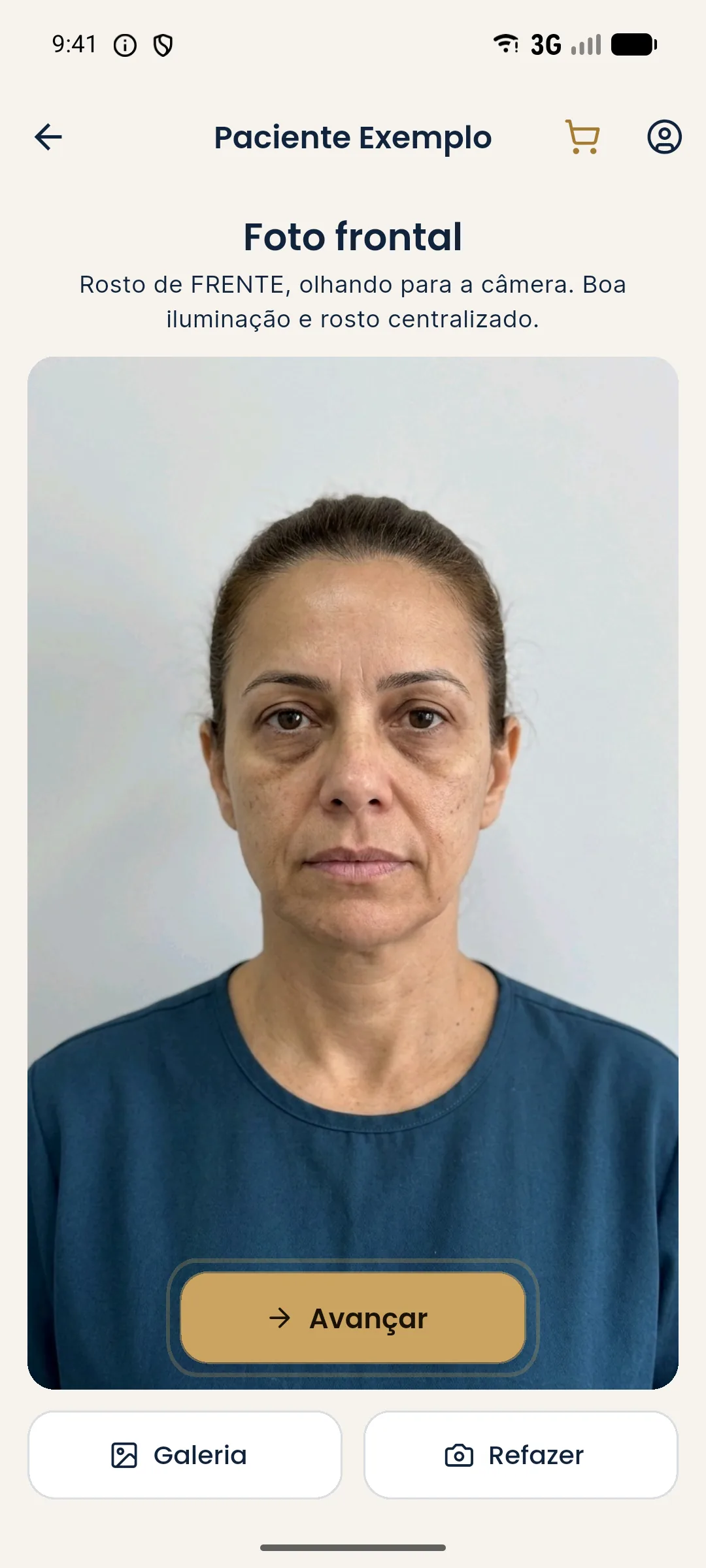
The app works with a single frontal photo per session, which can come from the camera or the gallery. The face is detected on the device itself, and the marking points depend on that reading. The cleaner the photo, the better the marking and the projection.
What should you record?
Record whether the photo was taken in the office, the conditions, and whether the patient authorized sending it to the third-party AI. If you retook the photo because of a quality problem, note it. That helps justify why you did not show the first image. See patient image security in the simulation.
A standardized photo is the cheapest investment for a reliable simulation. If the image is to be a good illustration, the photo has to be a good starting point.
How do you train the team to photograph well?
Photo quality is a process, not a talent. Make a one-page guide with the patient's position, the distance from the camera, the height of the device, the light, and the expression. Train whoever takes the photos and check the first photos of each new team member. A neutral background, a mark on the floor, and a fixed light make the process repeatable.
Review the guide every six months or when the space changes. When everyone photographs the same way, before and after comparisons are fairer and the simulation more reliable. See standardized clinical photography.
With a bad photo, own the limit: ask for a new image, straight on and in good light, before showing the patient any projection. If the image still does not improve, say that the simulation turned out less reliable and note it. None of this replaces clinical assessment, which is individual.
Frequently asked questions
Can a bad photo ruin the simulation?
It can. The generated image inherits the photo's light, angle, and expression, and distortions can turn into differences that do not exist.
What should the frontal photo for the simulation look like?
Frontal, face straight, eyes on the camera, neutral expression, mouth closed, even light, a simple background, and no accessories covering the face.
Can I use the patient's WhatsApp photo?
Avoid it. It usually has a filter, compression, an irregular angle, and variable lighting. The ideal is to photograph in the office, to a standard.
What if I cannot retake the photo?
Explain the limitation to the patient and lead the consultation without a simulation, or use a better photo on another date. Avoid showing an unreliable image.
Harmy images are illustrative simulations generated by AI from the patient's photo to support the conversation between practitioner and patient. They are not a promise of results. Indication, technique, product and volume are solely the decision of the licensed practitioner. This content is for information only and does not replace a clinical assessment.