
Poor Photo in Harmy: How to Improve Light, Angle and Framing

The Harmy projection inherits everything in the photo: a harsh shadow becomes a shadow in the projection, a tilted head becomes apparent asymmetry. That is why, when the app asks you to improve the photo, it is worth taking it seriously. This page explains each warning, what usually causes it and how to fix it in a few seconds.
What does the app check in the photo?
After you take a photo or pick one from the gallery, the app shows Checking photo... and verifies, on the device itself, whether there is a face, whether there is only one, whether it is facing forward and whether the lighting is adequate. If something fails, it opens the Let's improve the photo window, with the reason.
| Warning | Most common cause | Quick fix |
|---|---|---|
| No face detected | Face cut off, too far away or wearing a mask | Frame the whole face |
| More than one face | Companion in the background | Leave only the patient |
| Face turned sideways | Head turned or tilted | Ask them to look straight ahead |
| Dark photo | Low-light environment | Move to a brighter environment |
| Photo too bright | Strong light directly on the face | Move the light source away or use a diffuser |
| Uneven lighting | Light from one side only | Use uniform light, from the front |
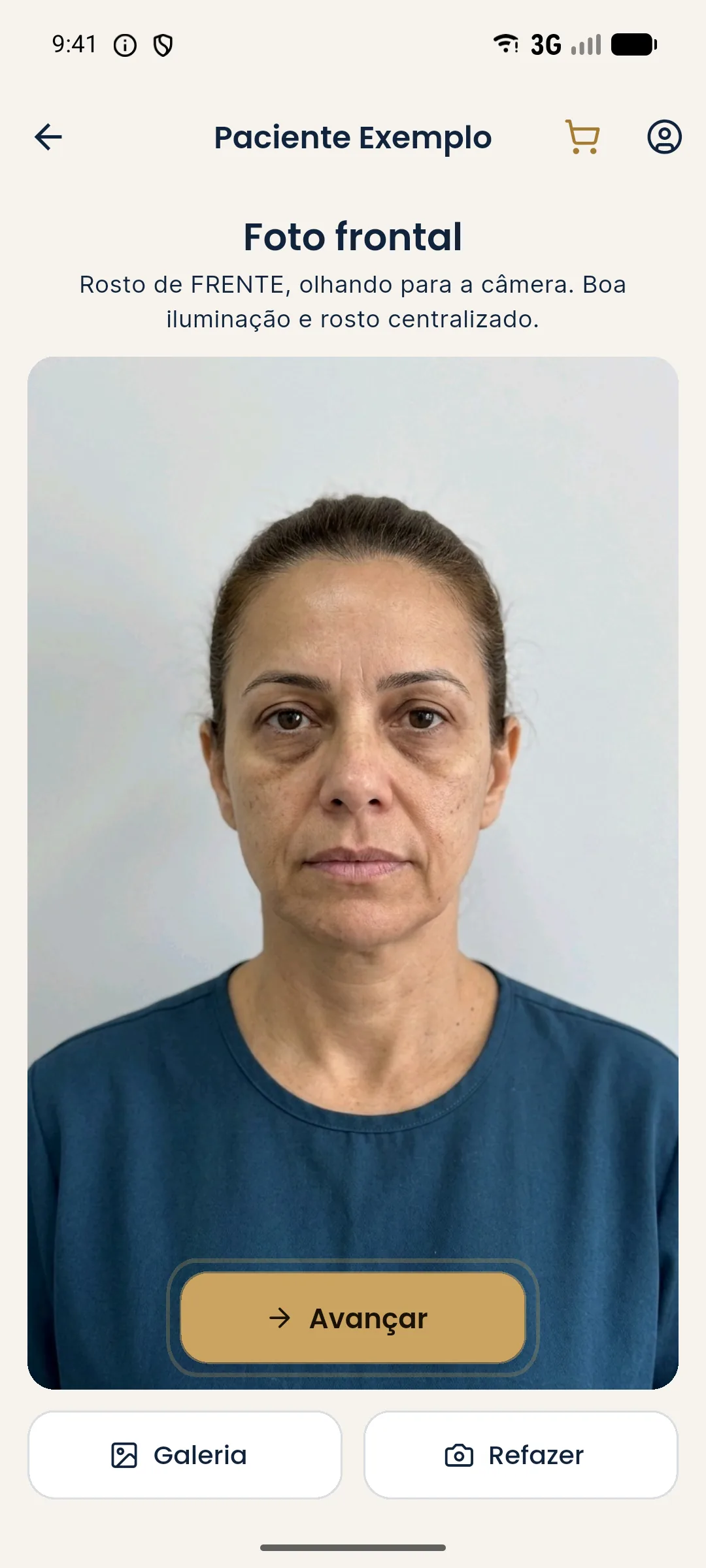
Light: the fix that solves the most
Good light is diffuse and frontal. Ceiling light, coming from above, emphasizes the under-eye area and folds and misleads the projection. A window with a thin curtain or a soft panel solves most cases.
Angle and framing
A camera at eye level avoids distortion. A phone below the chin enlarges the chin and jawline; a camera from above shortens the face. Keep the phone vertical and level, about 1 meter away, framing the head and the start of the shoulders.
Expression, hair and accessories
Ask for a neutral expression, mouth closed and relaxed. Tie the hair back to free the forehead, temples and face outline. Remove glasses and large earrings. Heavy makeup hides under-eye hollows and spots that you need to assess. A slight facial asymmetry is natural, but a tilted head creates an asymmetry that doesn't exist.
When to use the gallery
The Gallery option is for photos you already have, as long as they meet the standard. Avoid social media photos, which bring filters and compression. See the full standard in standardized frontal photo and in standardized clinical photography.
Common errors
| Problem | Effect on the projection |
|---|---|
| Camera from above | Shorter face, larger forehead |
| Camera from below | Larger chin and jawline |
| Smile | Folds and lips out of their resting state |
| Bangs on the forehead | Glabella and temples covered |
| Social media photo | Skin altered by a filter |
If even with a good photo the app can't find the face, see face not detected in Harmy.
Setting up a photo corner in the office
The most efficient solution is a fixed one: pick a plain, light wall, diffuse light from the front and a mark on the floor. In five minutes the office gets a photo spot that works for every patient and every follow-up. If space doesn't allow it, a thin curtain on the window and a plain poster behind the patient already solve most cases.
Think about the order of the day too: photograph before any procedure, with the face free of pen marks and topical anesthetic. When the photo becomes part of the protocol rather than improvisation, the app stops complaining and the projection visibly improves, without your touching a single volume.
Frequently asked questions
Why does Harmy say the photo needs to improve?
The app checks on the device whether there is a face, whether there is only one, whether it is facing forward and whether the lighting is adequate. When something fails, the Let's improve the photo window shows the reason.
Does the office lighting hurt the projection?
It can. Ceiling light emphasizes the under-eye area and folds, and strong light from one side only creates shadows that the projection inherits. Prefer diffuse, frontal light.
Can I use an old photo from the gallery?
You can, as long as it is frontal, sharp and unfiltered. Social media photos usually have filters and compression that alter the skin.
Does a photo with a smile work?
It is not ideal. A smile changes the folds, lips and cheekbone, and the projection starts from that state. Ask for a neutral expression, mouth closed.