
Data Security in the HOF Clinic: Passwords and Backup
Quick facts
- Topic
- Minimum information security routine for the clinic
- Pillars
- Strong password, two-factor, tested backup and access control
- Data at stake
- Patient records, face photos, contacts and finances
- Support
- IT professional and a data protection lawyer
An orofacial harmonization clinic holds, without realizing it, one of the most sensitive sets of data there is: name and contact, health history, medications, front and profile face photos, projections, signed forms and financial data. To someone who steals or leaks it, this is worth more than you would think. For the patient, the harm of exposure is direct: embarrassment, fraud, discrimination. And for the clinic, the harm is to its reputation, in fines and in lawsuits.
The good news is that most day-to-day risk shrinks with a minimum routine: passwords, two-factor authentication, a backup that really restores, control over who accesses what, care with phones and photos, and a simple plan for when an incident happens. This page lays out that routine in clinic language, not IT language. It does not replace an information security professional or a data protection lawyer's opinion. Legal references are those of Brazil. For the legal framework, see LGPD in the clinic's patient records and photos and LGPD data protection officer in the clinic.
What needs to be protected
Make a simple inventory. Where is the clinic's data?
| Where | What data | Typical risk |
|---|---|---|
| Patient record and scheduling system | Clinical data, contacts, history | Improper access, loss of access, vendor failure |
| Phones and tablets | Photos, conversations, apps | Loss, theft, backup to a personal cloud |
| Reception computer | Schedule, registrations, finances | Viruses, shared passwords |
| WhatsApp and social media | Conversations, photos, audio | Cloned account, access by a former employee |
| Documents, consent forms, quotes | Phishing, leaked password | |
| USB drives and hard drives | Copies of photos and documents | Loss, infection, forgotten copies |
| Paper | Forms, signed consents | Access by third parties, improper disposal |
For each row, ask: who has access? Is there a password? Is there a copy? What happens if it is lost? The inventory shows where the weak points are, which are almost always personal devices and shared accounts.
Passwords and two-factor authentication
The most common way in for trouble is a weak or reused password. A few practical rules:
- A unique password for each service. If one leaks, the others stay safe.
- A long password beats a complicated, short one. Long phrases work well.
- A password manager for the team, instead of paper stuck on the monitor or a text file.
- Two-factor authentication (a code in addition to the password) on email, patient records, social media, WhatsApp and banking.
- No shared passwords by message or in the team group chat.
- Change them immediately when someone leaves or when there is suspicion.
- An individual account for each person in each system, so you know who did what.
Backup: what matters is restoring
Many clinics "have a backup" and have never tested it. The day they need it, they find the copy is empty, out of date or tied to an account nobody remembers. Principles for a useful backup:
- Automatic. Anything that depends on remembering ends up forgotten.
- Off-site. A copy in the same place as the computer disappears with it in a fire, theft or attack.
- More than one copy. One local and one remote, at least.
- Tested. Restore a sample every few months and check that it opens.
- Protected. The backup also contains sensitive data and needs a password and access control.
- With history. Some attacks corrupt files, and earlier versions save the day.
If the patient record is electronic and cloud-based, ask the vendor how the backup works, where the data is stored and how to export everything. See electronic patient record for HOF.
Phones, photos and apps
In practice, the phone is the weakest point. It holds patient photos, WhatsApp, email and banking, and it travels in a pocket or a bag. Essential precautions:
- Screen lock with a password or biometrics and a short automatic lock.
- Device encryption turned on (the default on many recent models).
- Location and remote wipe set up in case of loss.
- System and app updates kept current.
- Apps only from official sources, no unknown programs.
- Clinical photos kept out of the personal gallery. Use the patient record or a professional app, and delete them from the device afterward.
- Automatic personal cloud backup turned off for the clinical photos folder, because it moves patient images out of the clinic's control.
- Separation: if possible, a device dedicated to the clinic.
See sending patient photos by WhatsApp and the LGPD, disposal of patient photos and data and LGPD consent for patient photos.
Access control: everyone sees what they need
Not everyone needs to see everything. Reception needs the schedule and contact details, but not necessarily the clinical history. The professional needs the patient record. Finance needs the amounts. Define profiles and, in systems that allow it, turn on access logging. A few rules:
This control ties in with the offboarding routine described in staff turnover in the HOF clinic and with the training in employee onboarding.
Scams and social engineering
A good share of incidents are not technical, they are human: someone clicks the link, hands over the code, replies to the fake vendor. Train the team to recognize:
- Phishing: emails or messages that imitate banks, vendors, card terminal companies or public agencies, asking for data or clicks.
- The fake employee scam: someone calls or writes claiming to be from support and asks for the verification code.
- WhatsApp cloning: a scammer tries to get the code to take over the clinic's account.
- Swapped boleto and Pix details: payment details changed in a message from a vendor.
- A request for a photo or data from an unknown "patient".
The golden rule: never give a verification code to anyone, and confirm any unusual request for money or data through another channel.
A plan for when an incident happens
Even with precautions, it can happen. Having a simple plan avoids improvisation:
The glossary entry on security incident summarizes the concept. Combine the plan with the clinic's privacy policy and LGPD consent form, using the privacy policy and LGPD consent templates as a starting point, with legal review.
How Harmy handles data
A good benchmark is how the tools the clinic uses handle data. In Harmy, face contours are calculated on the device itself and are not stored. The photo is sent to a third-party AI only to generate the image, with the professional's consent in the app. Public routes, such as the patient link, never return the patient's name. Account deletion is done inside the app, with confirmation by biometrics or the device password.
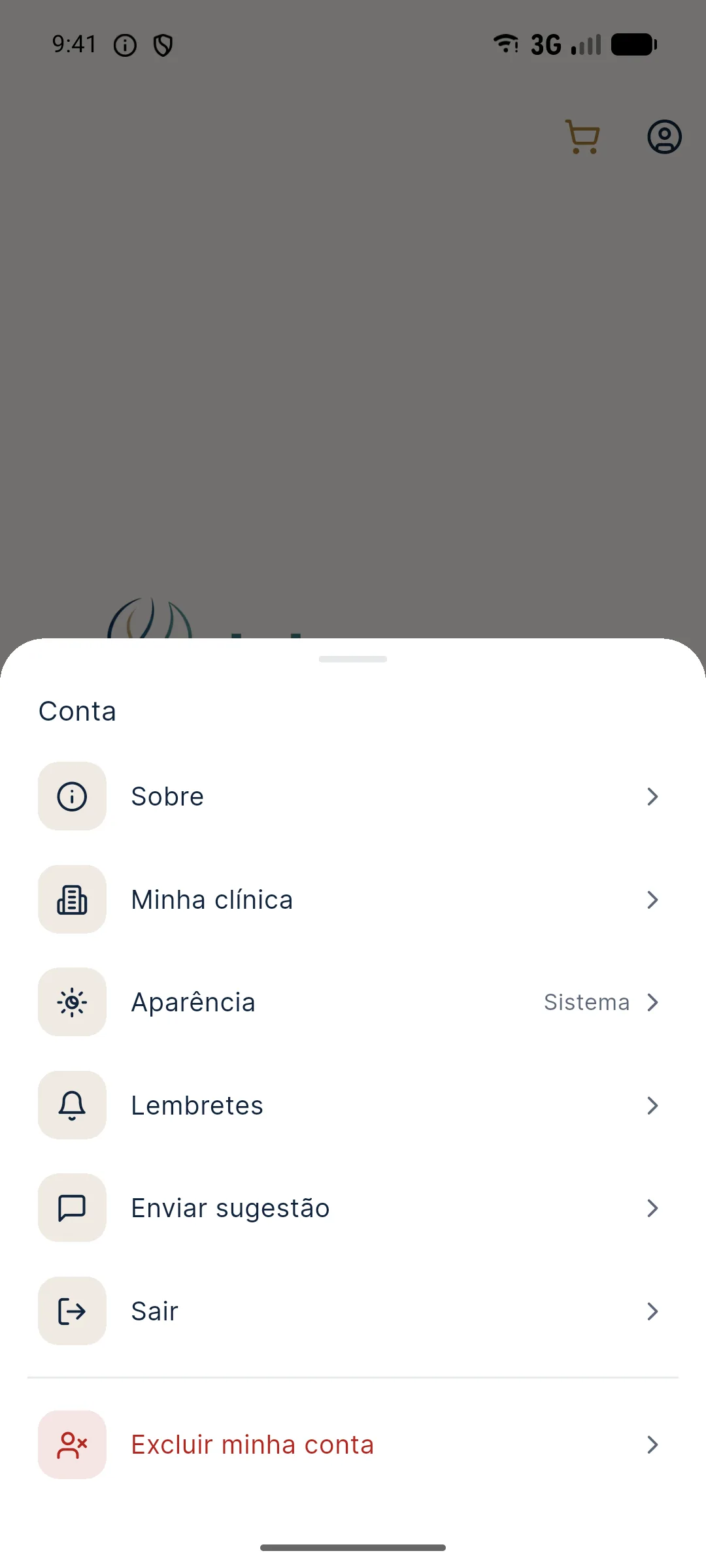
Even so, security depends on who uses it: protect the device with a screen lock, keep the system updated and do not share the account.
Data security in a clinic is not a big-company project: it is a short routine repeated always. Passwords, two-factor, a tested backup, protected devices and controlled access solve most of the risk, and they also show the patient that the clinic treats their face and their story with the care they deserve.
Frequently asked questions
What is the minimum security a HOF clinic needs?
Strong, unique passwords, two-factor authentication on the main systems, automatic backup with restore testing, control over who accesses what, protected devices and a routine for removing access. That covers most day-to-day risks.
Can I keep patient photos on my personal phone?
It is a high risk: the device can be lost, automatic backups can send the photos elsewhere, and a face image is sensitive data. The ideal is to use the patient record or a professional app and remove the photos from the personal phone.
How often should I back up?
It depends on how much data the clinic could tolerate losing. For most, a daily automatic backup is a good starting point, with an off-site copy and periodic restore testing.
What should I do if there is a data breach?
Contain the incident, record what happened, assess the risk to the data subjects and notify the data protection officer and the lawyer. The LGPD (Brazil's data protection law) requires notification in certain cases, and the content and deadline should be assessed with legal advice.