
Quote simulator by ml and area for HOF

Loading the calculator. If it does not appear, enable JavaScript in your browser.
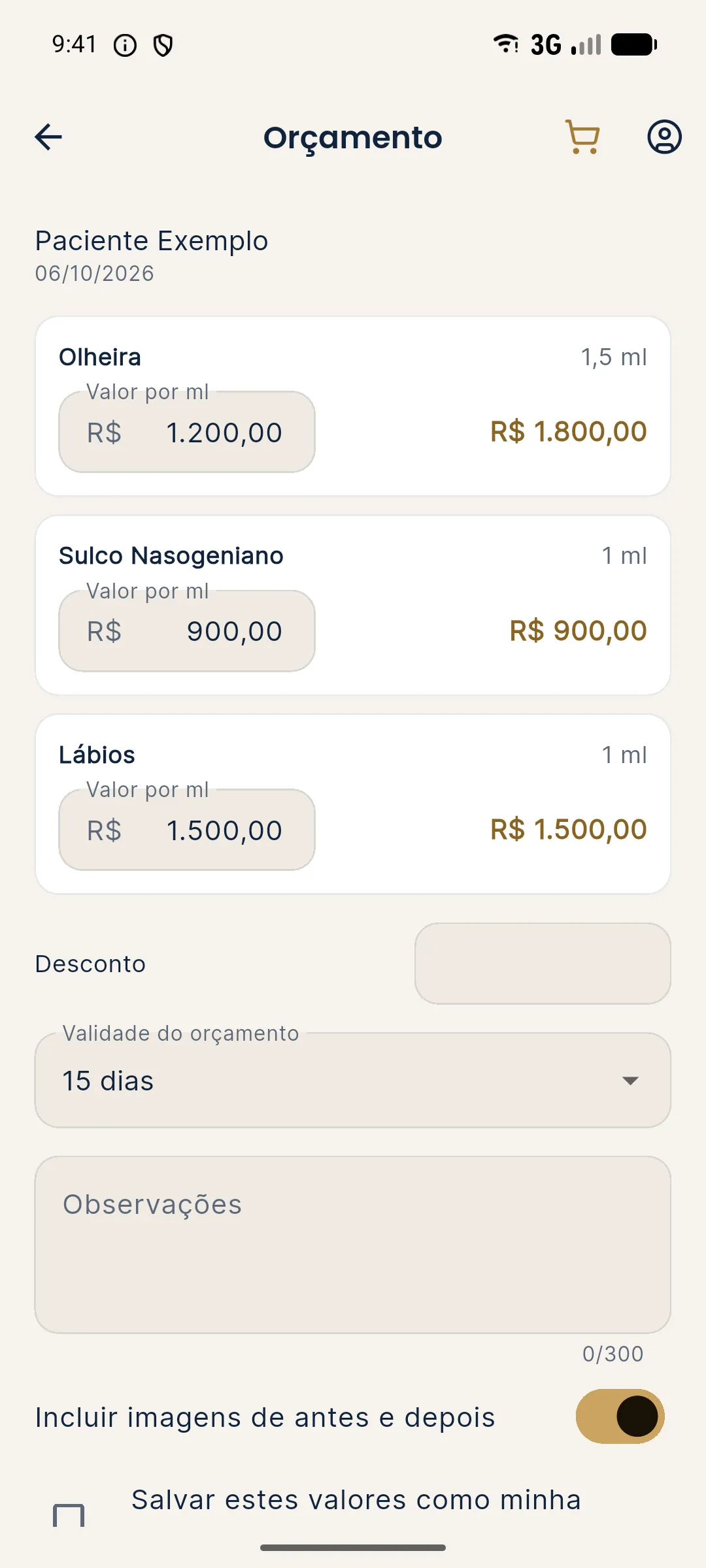
A quote by ml is transparent: the patient sees what each area costs and the professional shows that the amount is not arbitrary. The simulator adds up area by area, shows the total ml and the final amount with the discount you choose.
Your data stays in your browser. The starting values are a hypothetical example, based on the app's "Full harmonization" shortcut, and do not indicate volume for any patient.
What does each field mean?
| Field | What to enter |
|---|---|
| Price per ml | How much you charge per ml. |
| Cheekbone, jawline, chin, lips, nasolabial fold and tear trough | The planned ml for each area. Zero for any that is not included. |
| Quote discount | Percentage applied to the subtotal. |
How is the calculation done?
- Area value = the area's ml × price per ml.
- Total ml = sum of the areas' ml.
- Subtotal = total ml × price per ml.
- Total with discount = subtotal × (1 minus discount).
Worked hypothetical example
Hypothetical example: R$ 1,500.00 per ml, cheekbone 2 ml, jawline 2 ml, chin 1.5 ml, lips 1 ml, nasolabial fold 1 ml, tear trough 1 ml and a 5% discount.
| Area | Calculation | Value |
|---|---|---|
| Cheekbone | 2 × 1,500 | R$ 3,000.00 |
| Jawline | 2 × 1,500 | R$ 3,000.00 |
| Chin | 1.5 × 1,500 | R$ 2,250.00 |
| Lips | 1 × 1,500 | R$ 1,500.00 |
| Nasolabial fold | 1 × 1,500 | R$ 1,500.00 |
| Tear trough | 1 × 1,500 | R$ 1,500.00 |
| Subtotal | 8.5 ml × 1,500 | R$ 12,750.00 |
| Total with 5% discount | 12,750 × 0.95 | R$ 12,112.50 |
How do you use the result?
Check whether the price per ml covers your costs in the price per ml and margin calculator and whether the discount fits in the maximum discount without a loss. To see the effect of the complete plan on the ticket, use the ticket increase simulator. And to generate the document, see PDF quote.
Frequently asked questions
How do you build a quote by ml and by area?
Multiply each area's ml by the price per ml, add up the areas and apply the discount, if any.
Are the simulator's ml a volume recommendation?
No. They are an example, based on an app shortcut. The real volume is the decision of the qualified professional, after assessment.
Does Harmy generate the quote as a PDF?
Yes. The app generates a PDF quote with the value per ml for each area, discount, validity and notes, with the clinic's name and logo.