
How to Delete Your Account and Data in Harmy

You can delete your Harmy account at any time, from the app itself, without having to write to anyone. This tutorial shows the path, what happens to access to patients and projections, and how to request deletion of specific data. Before you start, it helps to understand the difference between signing out and deleting the account.
Sign out or delete the account?
Sign out ends the session only on that phone. The account keeps existing, and you sign back in whenever you want, on any device, with your history and balance intact. Use it when you are changing phones or lending the device.
Delete my account deactivates the account. You are signed out immediately and access to that account's patient history and projections is closed. From the app, the action cannot be undone.
If the problem is only the password, don't delete: see recovering your password and access. If the annoyance is the notices, just turn off the reminders.
Step by step to delete the account
- Tap the profile icon in the top right corner.
- In the Account menu, tap Delete my account, the last option.
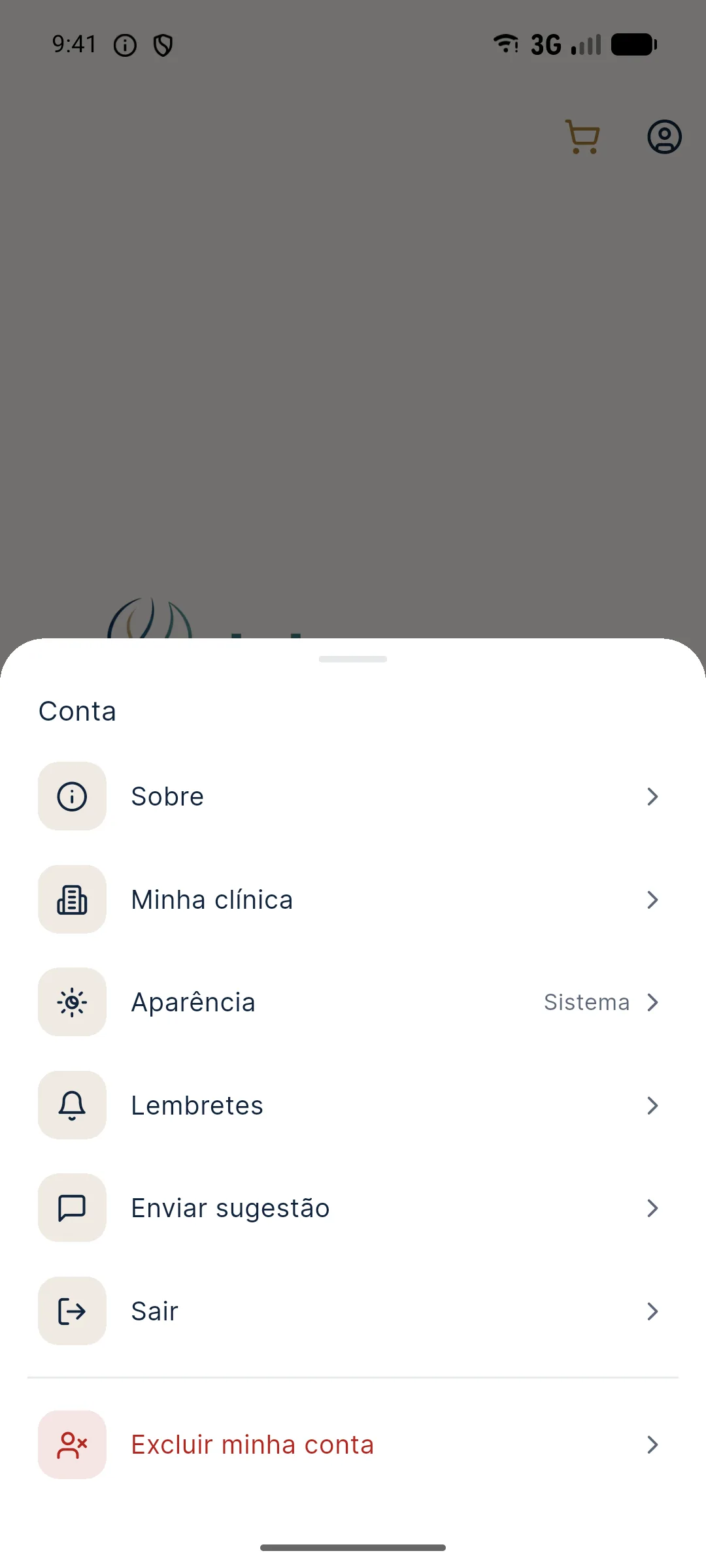
- Read the Delete account screen. It explains that the account will be deactivated, that you will be signed out immediately and that access to the patient history and projections will be closed.
- Check the box I understand and confirm that I want to delete my account. Without it the button doesn't proceed.
- Tap Delete my account.
- If the phone has a screen lock, the app asks for your fingerprint, face recognition (Face ID on iPhone) or the device's PIN, pattern or password. If you cancel or the confirmation fails, the account is not deleted.
- In the Are you sure? window, tap Delete. To back out, tap Cancel.
- The app signs the account out and returns to the sign-in screen.
What happens after deletion?
- Access closed: the account no longer signs in, neither in the app nor in the website's credits area, which uses the same account.
- Sessions ended: if the account was open on another device, it is signed out there too.
- Device cleaned: when signing out, the app erases from the phone the history cache, the plan draft and the temporary photo files.
- Email freed: you can create a new account with the same email. It starts with no balance, no history and no welcome projection.
The credit balance belongs to the account and does not carry over to a new account. If there is still a balance, use it before deleting.
How do I delete specific data?
The app deletes the whole account, but not an individual patient or a single session. The deletion screen itself warns: to delete specific data, such as just one patient, or to request permanent removal, use the website's data deletion page. It describes what is deleted, what may be retained due to legal obligation and how to make the request.
This path also works for anyone who no longer has the app installed or can't sign in to the account.
Deletion and LGPD: what to consider first
The professional is responsible for the data of the patients they photographed, under LGPD (Brazil's data protection law). Before deleting, think about what you need to keep outside the app:
- Patient charts and clinical documentation follow your council's rules and do not depend on Harmy. If you used app images in your documentation, keep the copies you need beforehand.
- PDF quotes and images already shared stay with whoever received them. Deleting the account does not recall them.
- Patient request: if a patient asks for their data to be deleted, use the data deletion page for that patient, without erasing your whole account.
To review how to handle photos and patient authorization, see consent and LGPD for photos and the glossary entry on informed consent.
Common errors and how to fix them
| Situation | What to do |
|---|---|
| "Check the confirmation box to delete the account" | Check the I understand and confirm box before tapping the button. |
| "Authentication canceled. The account was not deleted." | Repeat and confirm with the device's fingerprint, face or PIN. |
| "Could not confirm your identity." | The device verification failed. Try again or use the PIN instead of biometrics. |
| I can't sign in to delete | Recover access with your password or use the website's data deletion page. |
| I just want to stop receiving notices | No need to delete. Turn them off in Account › Reminders. |
Frequently asked questions
Where is the option to delete the account in Harmy?
In the app itself. Tap the profile icon at the top of the screen and choose Delete my account, at the end of the Account menu.
Why does Harmy ask for a fingerprint or PIN to delete the account?
It is an extra confirmation to prevent deletion by mistake or by someone else holding the phone. If the device has no screen lock, the app goes straight to the confirmation.
Can I delete just one patient in Harmy?
The app does not delete an individual patient. For that, use the data deletion page on the website, which handles requests for specific data.
Can I create a new account with the same email after deleting?
Yes. The email is free for a new sign-up, but the new account starts with no balance and does not get the welcome projection again.