
Reset your password and sign back in to Harmy

Losing access to your account in the middle of the week disrupts your schedule: your patient history, credit balance and clinic data are all there. The good news is that recovery in Harmy happens entirely in the app, with a code sent to your email, and takes just a few minutes. This tutorial covers a forgotten password, Google and Apple accounts, and the most common sign-in errors.
How does password recovery work?
Harmy does not send a link or a temporary password. It sends a 6-digit code to the account email. You enter the code in the app along with the new password, and the app signs you in right away. The code is valid for 15 minutes and allows up to 5 attempts.
For security, the response to a code request is always the same, whether or not an account exists with that email. This way, nobody can find out through the app who has an account.
Step by step to reset your password
- Open Harmy. On the sign-in screen, tap Forgot password?, below the email and password fields.
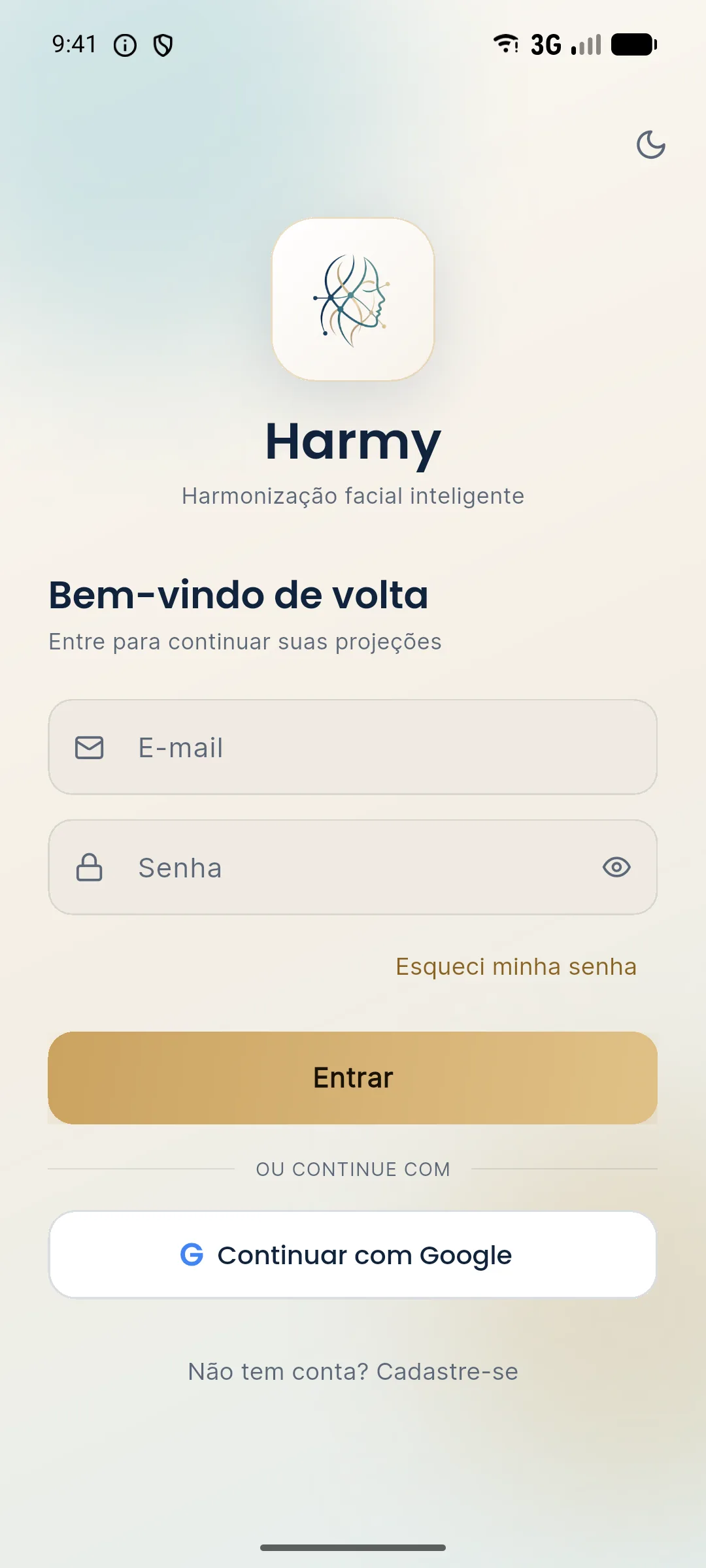
- On the Recover password screen, enter the account email and tap Send code.
- The app shows a notice saying that, if an account exists with that email, a code was sent. Open your email and look for the message from Harmy. Check your spam folder too.
- Back in the app, enter the 6-digit code and the new password, with at least 8 characters.
- Tap Reset password. The app opens the home screen, already signed in to your account.
- If the code does not arrive, use Resend code. The button becomes available after a 30-second countdown.
What changes after the reset?
The old password stops working, and sessions open on other devices are ended. If someone had access to your account on another phone, they will need to sign in again, now with the new password. The history, balance and clinic data stay the same.
The reset also confirms the account email. If the registration was pending verification, it is now resolved.
What if I sign in with Google or Apple?
Accounts created with Continue with Google or Continue with Apple do not need a password. To sign in again, just tap the same button and choose the same account. The Apple button appears only on iPhone.
If you use Google and also want a password, follow the steps above with the email of your Google account. Recovery sets a password for the account, and Google sign-in keeps working.
With Apple sign-in, if the app asks for your email again, it shows the way: Settings › your name › Sign-In & Security › Sign in with Apple, remove Harmy and try again.
Why did the app ask me to sign in again?
Your Harmy session renews while you use the app. If the app goes 14 days without being opened, the session expires and it asks you to sign in again. The app also asks you to sign in after a password reset done on another device, after Sign out, and after an account deletion.
What about the website?
The credits area of the website uses the same account as the app. There you sign in with email and password or request a code, which arrives as a notification on the phone where the app is signed in. If you forgot your password, reset it in the app and use the new password on the website. See how alerts work in reminders and notifications.
Tips
- Use an email you check every day. Verification and recovery codes arrive there.
- Do not share the account. Each professional should have their own, as explained in creating an account. This protects patient history, which is sensitive data under the LGPD (Brazil's General Data Protection Law).
- Be wary of a code you did not request. If a recovery code arrives without you asking for it, do not pass it to anyone.
- Switched phones? Sign in with the same account and your history appears. Nothing stays tied to the old device.
Common errors and how to fix them
| Situation | What to do |
|---|---|
| "Enter a valid email" (enter a valid email) | Check that the email was typed in full, with no spaces. |
| The code did not arrive | Look in spam and check the address. Wait for the countdown and tap Resend code. |
| The app says the code is invalid or expired | The code passed 15 minutes or 5 attempts. Request a new one. |
| "The new password must have at least 8 characters" (the new password must have at least 8 characters) | Choose a longer password. |
| When signing in, the app asks you to confirm your email | The registration has not been verified yet. The app resends the code and opens the Confirm your email screen. |
| Email and password do not work, but the account is a Google one | Tap Continue with Google or set a password through recovery. |
Frequently asked questions
I forgot my Harmy password. How do I recover it?
On the sign-in screen, tap Forgot password? and enter your email, and type the 6-digit code that arrives by email along with your new password, which must have at least 8 characters.
How long is the Harmy recovery code valid?
The code is valid for 15 minutes and allows up to 5 attempts. After that, request a new code on the same screen.
I created my account with Google. Can I set a password?
Yes. Password recovery also works for accounts created with Google, and the password you set becomes valid alongside Google sign-in.
Do I lose my patients if I reset my password?
No. The history, balance and clinic data belong to the account and stay the same. The new password only changes how you sign in.