
Harmy reminders and notifications

Harmy uses few notifications, and each one has a clear purpose: to warn you that your balance is running low, confirm a top-up, deliver a website access code or remind you that a projection is waiting for you. This tutorial shows what each notice means, how to turn reminders on and off and what to do when a notification does not arrive.
Which notices does Harmy send?
| Notice | When it arrives | Through | Do reminders turn it off? |
|---|---|---|---|
| Projection available | Only once, after sign-up, if the account has a balance and has not made any projection yet | Notification and email | Yes |
| Low balance ("Your balance is running low") | When, after a projection, the balance drops below R$ 10.00 | Notification | No |
| Top-up confirmed | When the purchased credit enters the wallet | Notification | No |
| Website access code | When you ask to sign in to the website with a code through the app | Notification | No |
What are reminders?
Reminders are notices that help you get the most out of the app, different from balance notices. The main one today is projection available: if the account has a confirmed email, has a balance (such as the welcome projection) and has not made any projection yet, Harmy sends a notification and an email titled Your projection is waiting. This notice goes out only once per account.
If you signed in with Apple and chose to hide your email, this reminder arrives only as a notification.
The reminders window also mentions a weekly summary of results for follow-up. The same switch controls all the reminders listed there.
How do I turn reminders on or off?
- Tap the profile icon, in the top right corner of any screen.
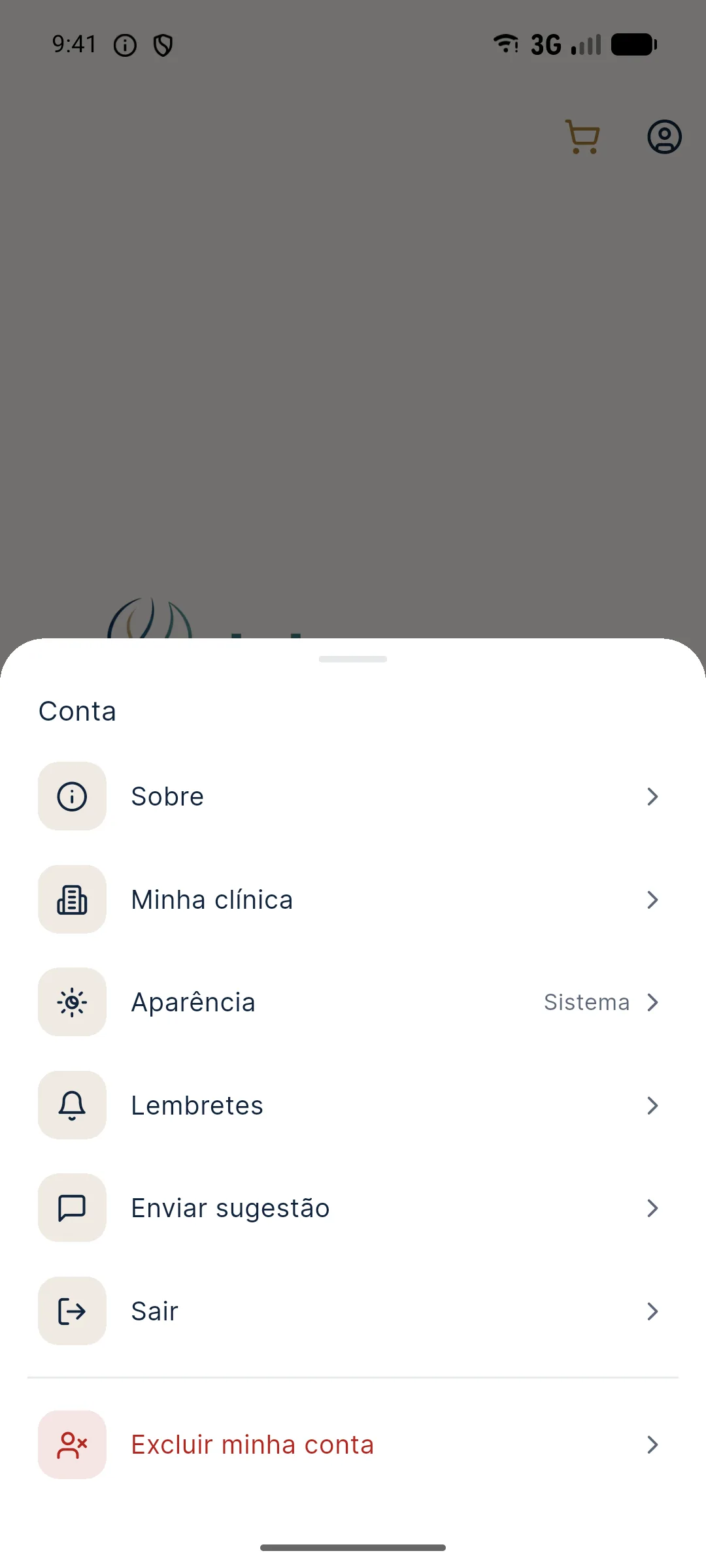
- Tap Reminders. The window loads your current preference.
- Turn the Receive reminders switch on or off. The change is saved immediately, with no confirm button.
- Tap Close.
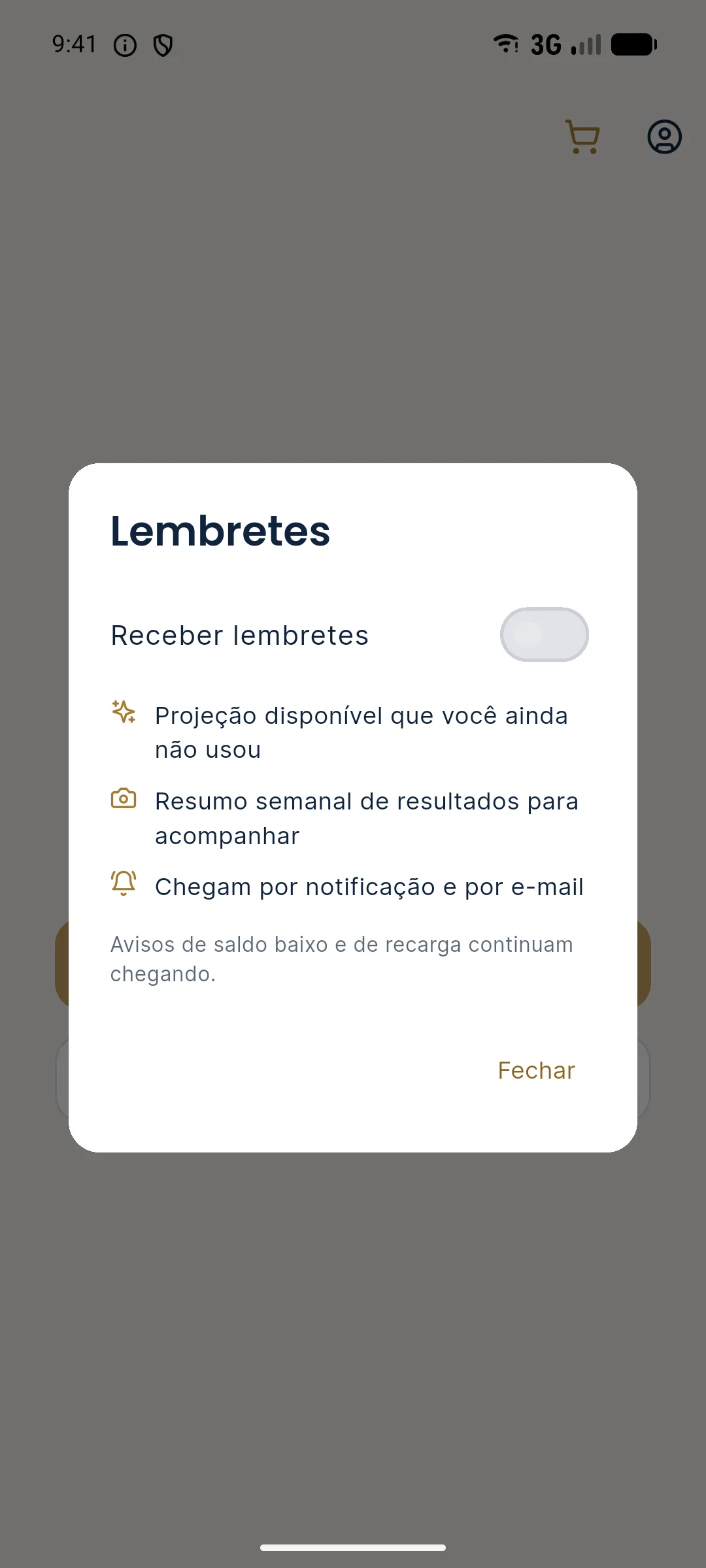
The preference belongs to the account, not the device: it applies to notifications and email, and still applies if you change phones. Below the switch, the window itself reminds you that low balance and top-up alerts will keep coming.
How do the balance notices work?
The low balance notice is sent once each time the balance crosses the R$ 10.00 limit downward, right after a projection. The message says how much is left and how many projections that represents. When you tap the notification, the app opens the credits screen. If the app is open, the notice appears at the bottom of the screen, with the Top up button.
The top-up confirmed notice arrives when the purchased credit lands in the wallet, with the amount added and the current balance. Tapping it also opens the credits screen so you can check. See how to buy in credits and top-up.
What is the website access code?
In the credits area of the website, you can sign in without typing your password: enter your email and ask for the code in the app. Harmy sends a notification with a 6-digit code to the phone where the account is signed in. With the app open, the code appears in a window, with the instruction to type it on the website. The code expires in 15 minutes. If you did not ask for this code, ignore the notification.
Which phone do notifications go to?
When you sign in to the account, the app asks for permission to send notifications and registers the device. Each account receives notifications on one device, the last one where you signed in to the app. When you tap Sign out, the device stops receiving them.
Tips
- Allow notifications on first use. Without permission, the low balance notice and the website access code do not appear.
- If you use two phones, remember that notifications go only to the last one where you signed in.
- Turning off reminders does not affect your balance or purchases. You only stop receiving usage notices.
- To silence everything, including balance notices, turn off Harmy notifications in your phone settings.
Common errors and how to fix them
| Situation | What to do |
|---|---|
| No notification arrives | Enable Harmy notifications in your phone settings and sign in to the app again. |
| The notification went to another phone | Sign in to the app on the device you want to use. It becomes the one that receives them. |
| "Could not load. Please try again." in the Reminders window | Check your internet connection, close the window and open it again. |
| The reminder email did not arrive | Look in spam. If you signed in with Apple and hid your email, this notice arrives only as a notification. |
| The website code did not arrive | Check that the app is signed in with the same email and that notifications are allowed. |
Next step
Haven't made your first projection yet? Try it with the sample patient and set up your brand in My clinic.
Frequently asked questions
How do I turn off Harmy reminders?
Tap the profile icon, open Reminders and turn off the Receive reminders switch. The change applies to the account, for both notifications and emails.
If I turn off reminders, do I stop getting the low balance notice?
No. Low balance and top-up confirmed notices keep arriving, because they are about your balance and are not reminders.
Why does Harmy not send notifications to my phone?
Check that notification permission is enabled for Harmy in your phone settings. Notifications go to the last device where the account signed in to the app.
Does Harmy send reminders in the middle of the night?
No. Reminders go out only between 9 a.m. and 8 p.m., Brasília time.