
How to mark the lips in Harmy and what to expect
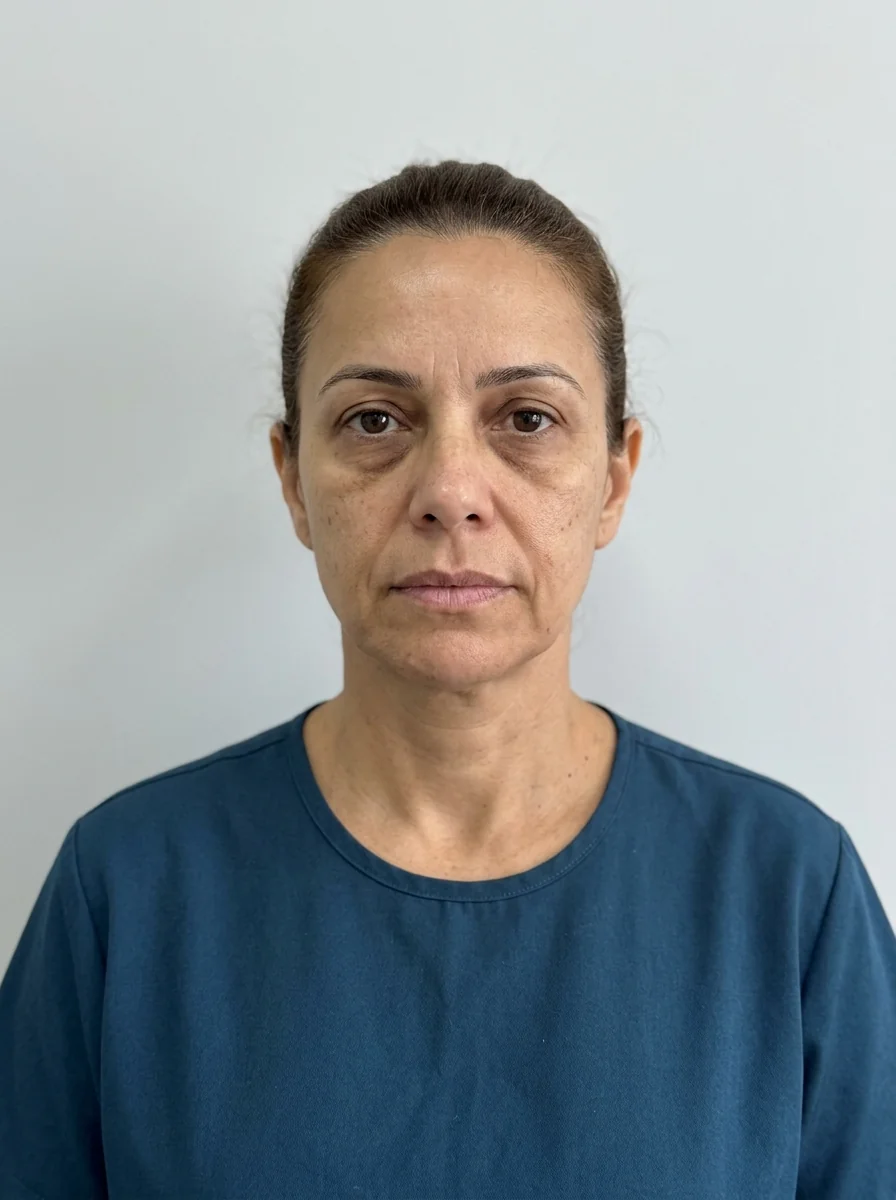
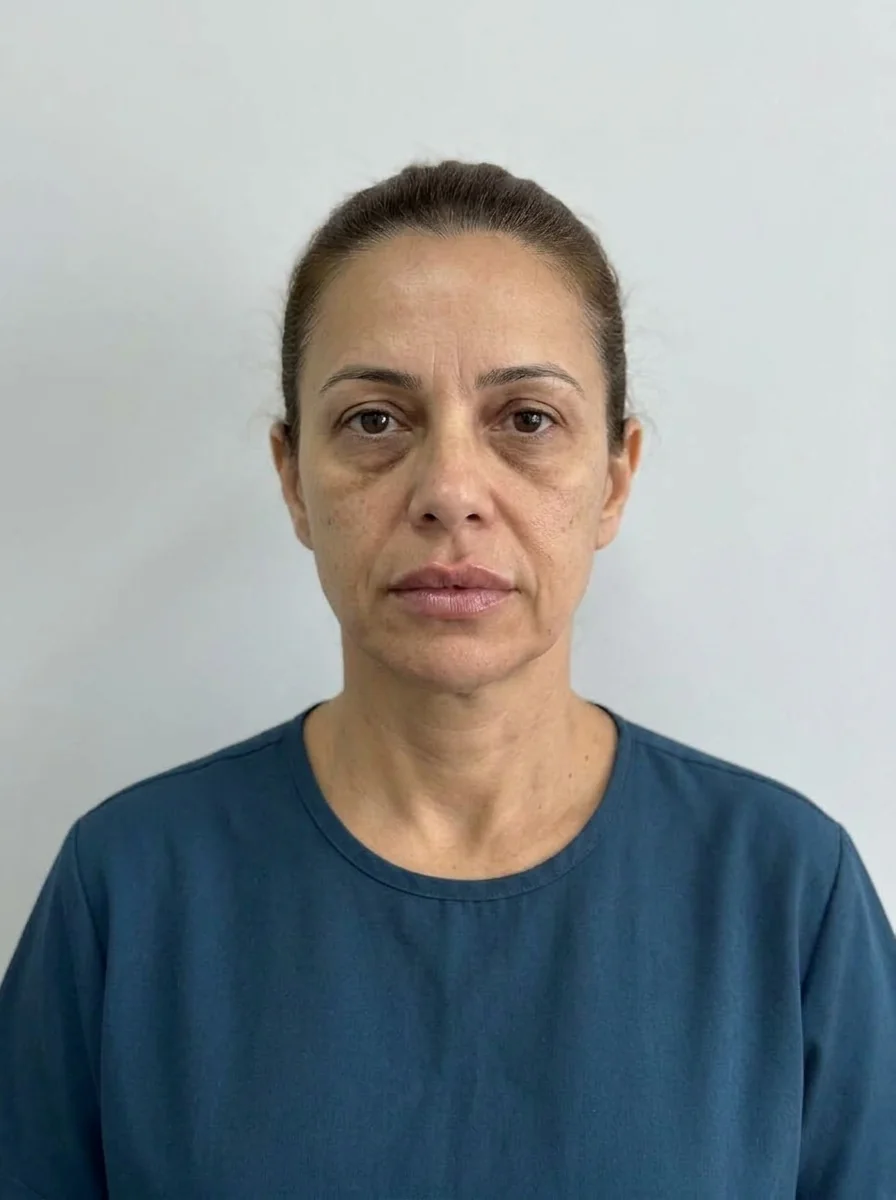 BeforeSimulation
- Muscle
- Highlighted area
The lips are the area patients recognize most in the projection and the one that generates the most expectation. That is why it pays to mark carefully and talk clearly. This page shows how to mark the point, adjust ml and intensity and read the image as an illustrative simulation.
What does the Lips point represent?
The Lips point represents the vermilion and the lip contour. For the clinical content, see the page on lips, the procedure for lip filler and the entries on vermilion border and Cupid's bow.
Step by step
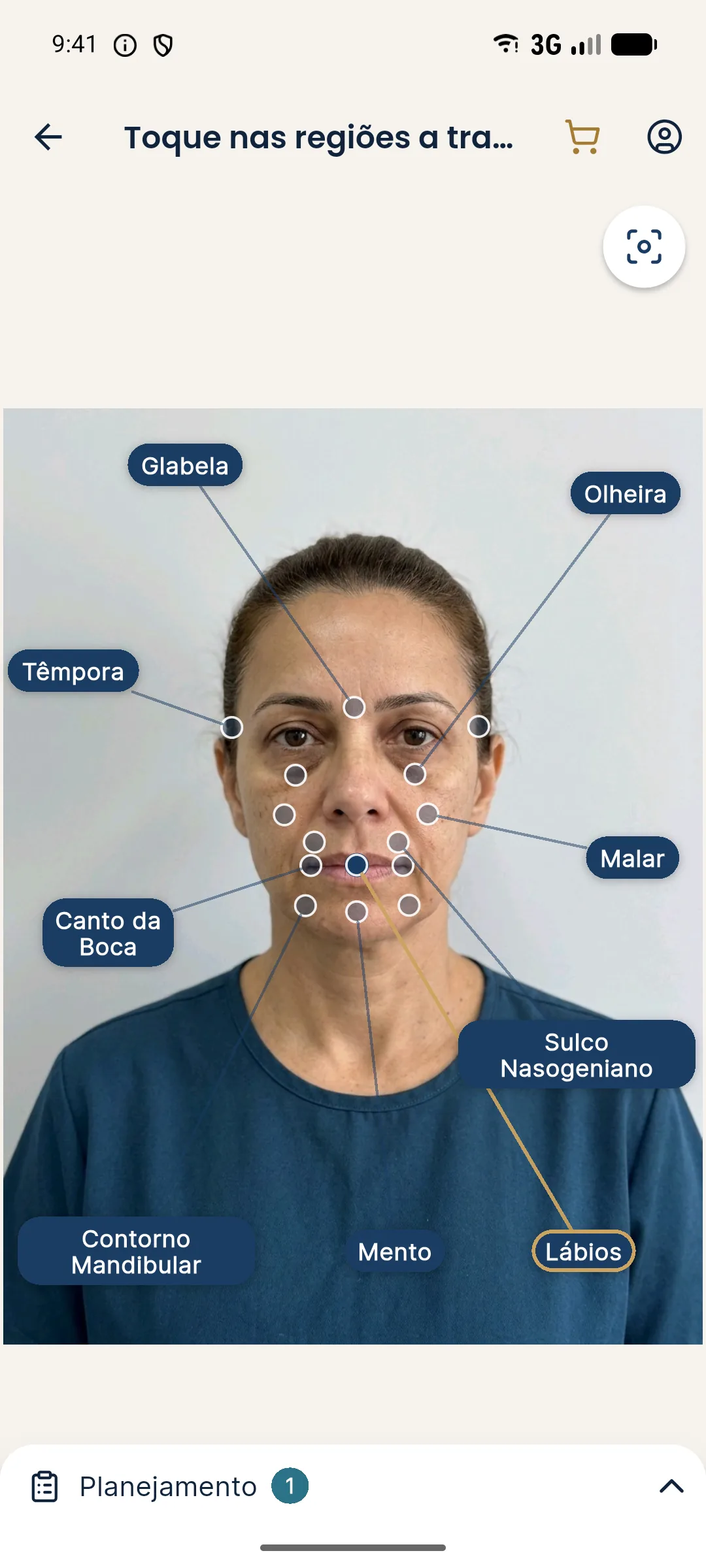
- With the front-facing photo approved, open Tap the areas to treat.
- Tap the Lips point or label. The point fills in and the label gets a gold border.
- Open the Plan and adjust the ml (from 0.5 to 5 ml, in 0.5 ml steps; default 1 ml).
- Choose the intensity: Subtle, Moderate or Pronounced (default Moderate).
- Tap Create projection and, when it finishes, slide the gold line over the lips.
What to expect from the projection
The projection shows a discreet change in volume and contour, without altering expression, skin, background or lighting. Because lips vary a lot between people, the effect shows better with zoom and with the presentation mode magnifier, which enlarges the treated area with before and after side by side.
Care when taking the photo
| Item | Guidance |
|---|---|
| Expression | Mouth closed, relaxed, no smile |
| Lipstick | No lipstick or gloss; color and shine get in the way of the reading |
| Light | Diffuse and frontal, with no shadow under the lower lip |
| Distance | About 1 meter, with the camera at eye level |
Safety and talking to the patient
Every hyaluronic acid filler requires a qualified professional, according to the rules of their professional council in Brazil, and hyaluronidase on hand. The main complications are swelling, bruising, asymmetry and, more rarely, vascular compromise. For the conversation about natural-looking results: natural lip filler.
Common errors
| Situation | How to fix |
|---|---|
| Photo with a smile | Retake it with a closed mouth |
| Photo with lipstick | Ask the patient to wipe it off and retake the photo |
| The projection looks "too little" | Remember it is subtle by design and use zoom |
| Forgetting the simulation notice | Say it before opening the slider |
To organize the quote afterward, see PDF quote.
Natural-looking results and proportion
The most important conversation about lips is about proportion. Many patients arrive with a reference image that does not suit their own face. The projection helps test, subtly, a direction compatible with their anatomy, and that makes it easier to discuss what looks natural. Show the image zoomed in, compare it with the neighboring area and ask for the patient's opinion with the question "what do you think about keeping this proportion?".
If expectations are well above the plan, go back to the clinical exam and the indication, without raising the ml just to satisfy the image.
Frequently asked questions
How do I mark the lips in Harmy?
On the marking screen, tap the point or the Lips label. The area goes to the Plan, where you set the ml and the intensity.
Which ml shows up by default for the lips?
The starting value is 1 ml. In the First time shortcut, the lips come out at 1 ml with Moderate intensity; in Maintenance, at 0.5 ml Subtle.
Does the projection show the actual result of lip filler?
No. It is an illustrative simulation that shows a direction for the plan and does not predict the result. The response varies with the product, the technique and the patient.
Should I photograph the patient smiling to mark the lips?
No. Use a closed mouth and a neutral expression. A smile changes the lips and the contour, and the projection starts from that state.