
How to mark the tear trough in Harmy and what to expect
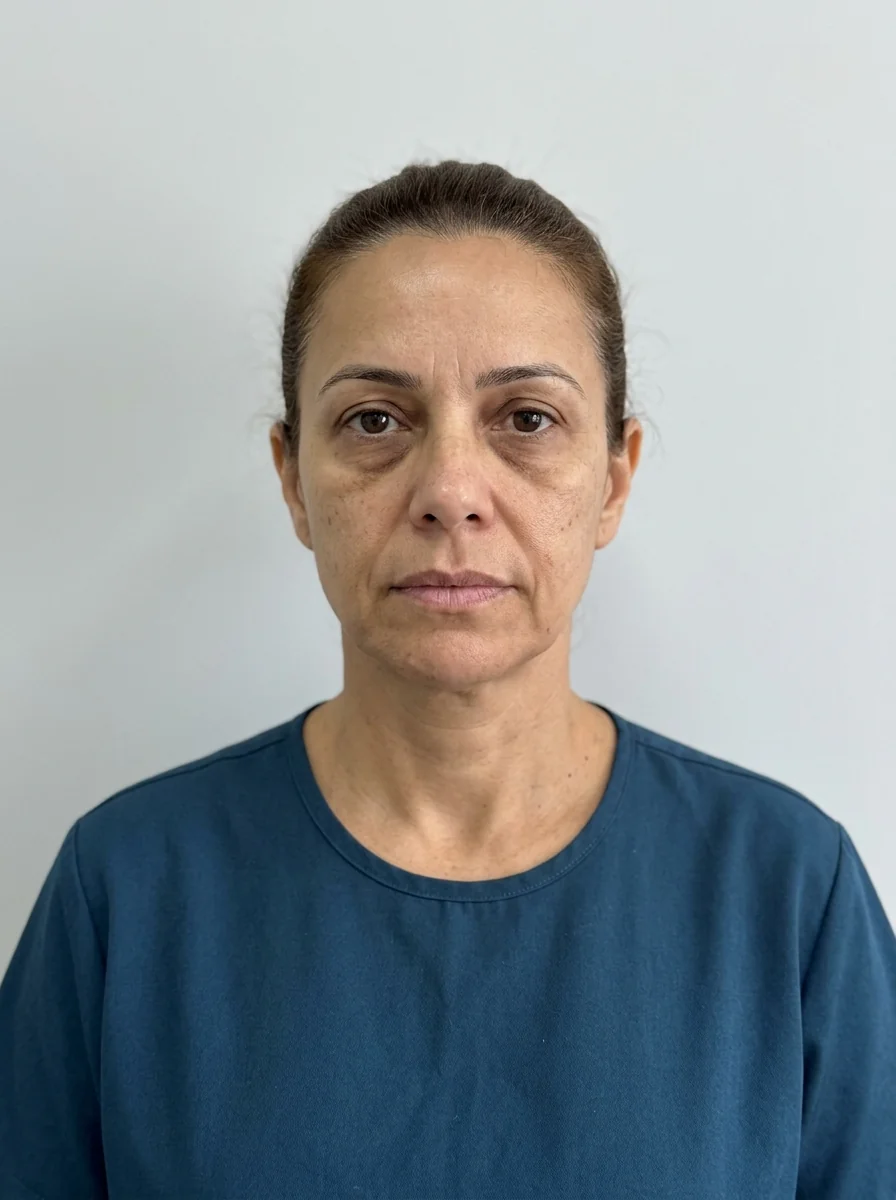
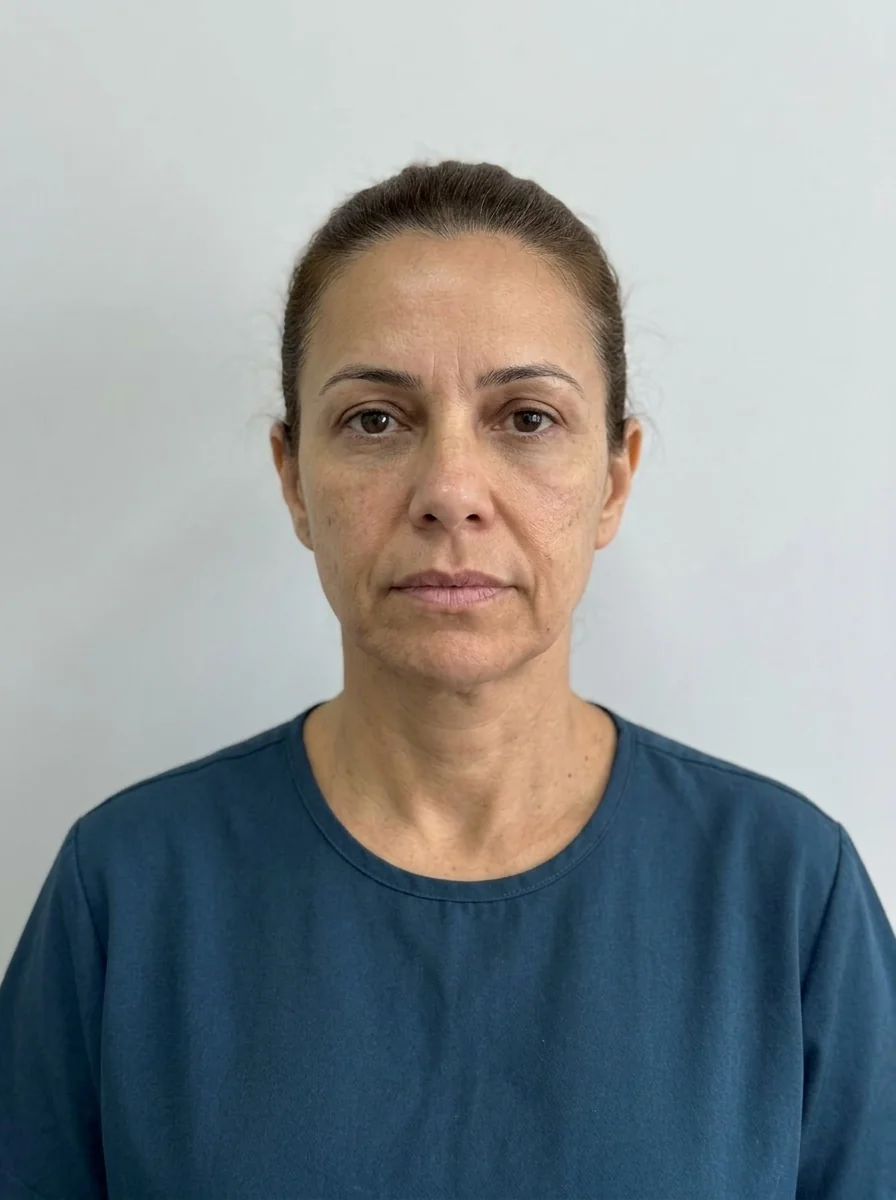 BeforeSimulation
- Highlighted area
Quick facts
- Point in the app
- Tear Trough
- Sample simulation volume
- 1 ml
- Shortcuts that use the Tear Trough
- First time and Full harmonization (1 ml, Subtle)
- Risk of the area
- High vascular risk, clinical assessment required
The tear trough is one of the points where the projection is best received and also most misread. Best received because the subtle change in shadow and contour is easy to see; most misread because not every under-eye circle is about volume, and the image may give the impression that everything is solved by filling. Marking with judgment is what protects the conversation.
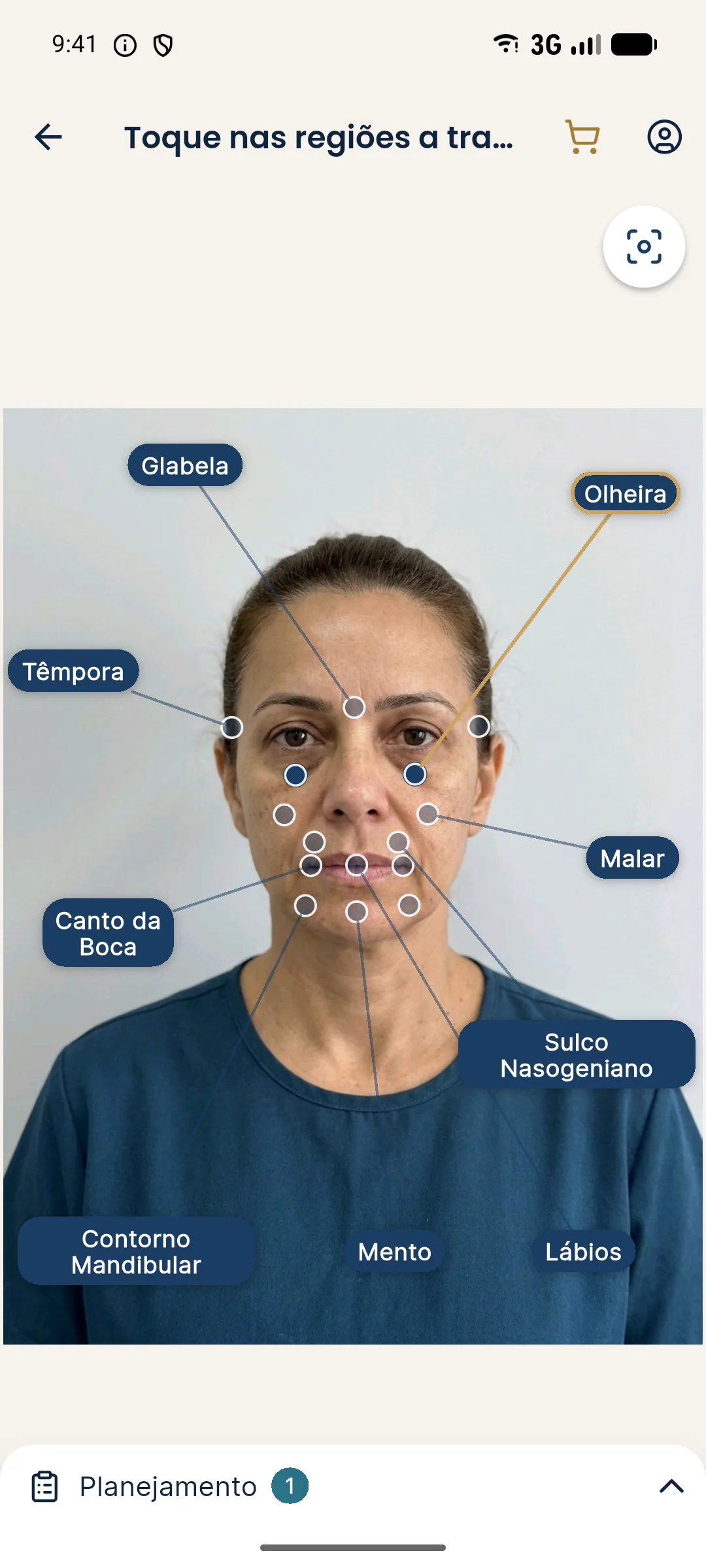
How do I mark the Tear trough in Harmy?
- On the front-facing photo, ask the patient to look straight ahead and use diffuse light, with no strong shadow under the eyes.
- In the marking, tap the Tear Trough point.
- In the Plan, set the ml and intensity.
- Tap Create projection and compare on the slider.
How many ml and which intensity?
In the sample simulation and in the First time and Full harmonization shortcuts, the Tear Trough uses 1 ml at Subtle intensity. The app's step is 0.5 ml, from 0.5 to 5 ml, but high volumes in this area tend to produce an unnatural image. The area is meant for a smooth transition, without creating visible volume.
| Situation | Starting point | Reading precaution |
|---|---|---|
| First conversation about under-eye circles | 0.5 to 1 ml, Subtle | Avoid suggesting the shadow disappears |
| Patient wants to see more difference | 1 ml, Moderate | Explain that the image is illustrative |
| Under-eye circle with evident pigment | assess before simulating | Volume may not be the answer |
What to expect from the projection
The AI smooths the transition between the eyelid and the cheek, without skin retouching, makeup or changes in expression. If the patient's under-eye circles are mostly pigment-related, the app will show little color change, which is consistent. Do not use the image to suggest that the procedure changes pigment.
How to run the conversation
Show the projection as a direction, not a promise. Use the page for the Tear troughs area to review anatomy and the one on tear trough filler for indication and limits.
Good practices
Make the first projection with the Tear Trough only to see the response; then combine it with Cheekbone if the concern calls for it. More guidance in marking areas and volumes and good marking practices.
Common errors when marking the Tear trough
The main error is photographing with overhead light, common in clinics with ceiling lighting. It deepens the shadow under the eye and makes the under-eye circle look worse than it is, which produces a more dramatic projection and an inflated expectation. Prefer diffuse frontal light and check the photo before moving on.
The second error is treating every under-eye concern as volume. There are dark circles from pigment, from visible vessels, from eyelid laxity and from fat pads. The app's projection only works on the contour and volume of the marked point, so it shows well what volume can do and nothing about the rest. If the cause is not volumetric, tell the patient before opening the slider.
The third error is raising the ml to try to erase the shadow. In the image, that tends to create an artificial look, and in real life the area does not usually tolerate excess. Prefer keeping Subtle intensity and low volumes, and use the conversation to explain that the goal is to soften. For how to approach the patient, see explaining the under-eye area to the patient.
Frequently asked questions
What volume does the Tear Trough use in Harmy's shortcuts?
The First time and Full harmonization shortcuts mark the Tear Trough at 1 ml with Subtle intensity. It is a starting point, not a dose recommendation.
Does the Tear Trough projection work for every type of under-eye circle?
The image only changes the volume and contour of the marked area. Dark circles caused by pigmentation, for example, are not solved by volume and the projection should not be presented as a solution for them.
Why is the Tear Trough usually Subtle in the app?
The area is delicate and an excessive change looks artificial in the image. Subtle usually reflects the idea of smoothing the transition better, at the professional's discretion.
Does Harmy teach how to treat the tear trough?
No. The app marks the area and the volume for the simulation. Technique and safety are the responsibility of the qualified professional.