
How to mark the malar area in Harmy and what to expect
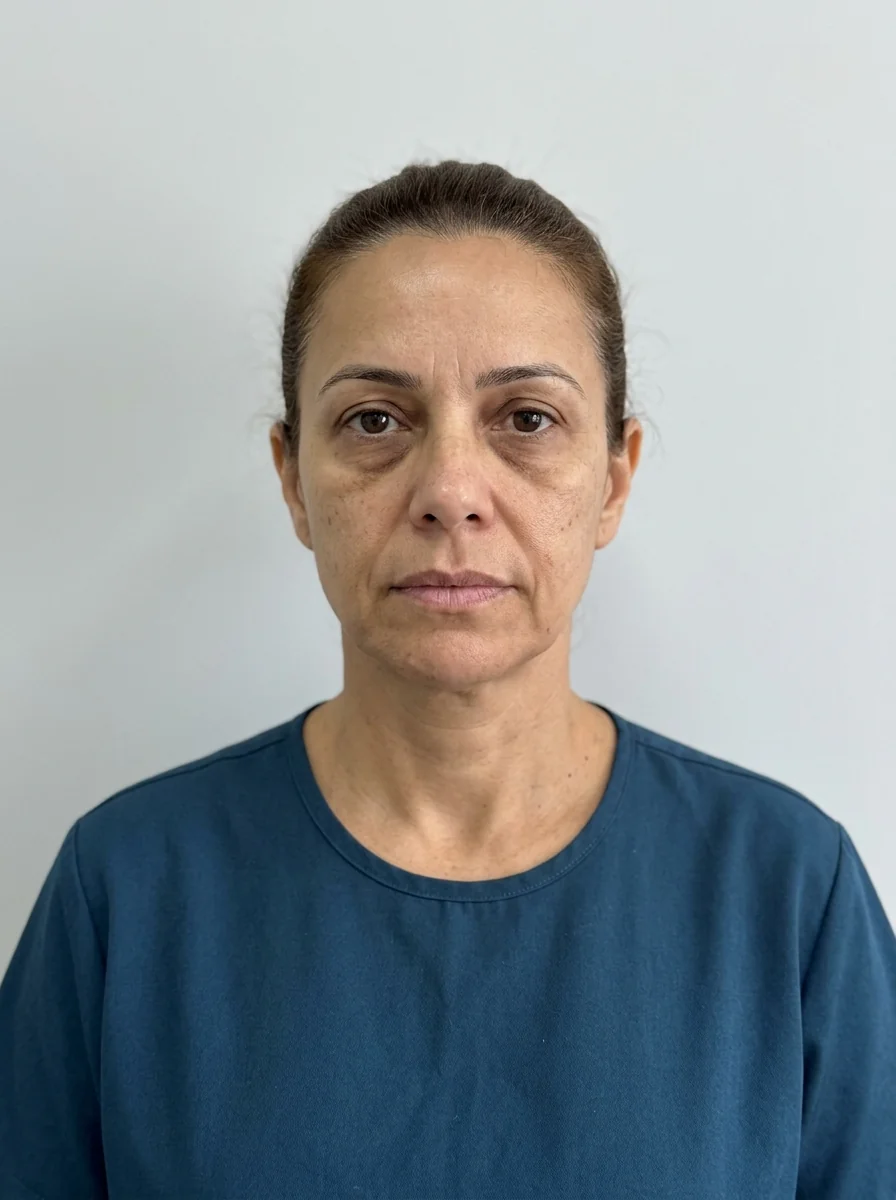
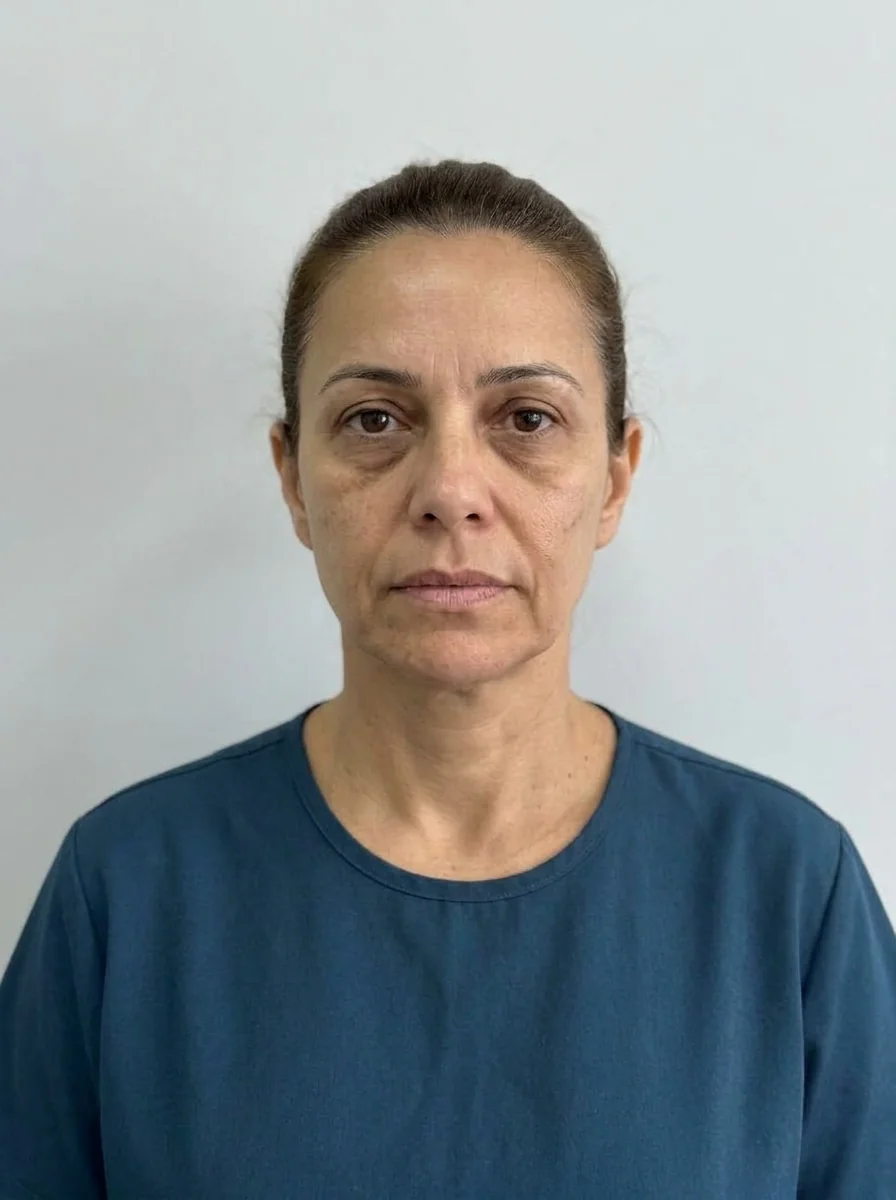 BeforeSimulation
- Highlighted area
Quick facts
- Point in the app
- Cheekbone
- Sample simulation volume
- 2 ml in total, split between both sides
- Intensity
- Subtle, Moderate or Pronounced (default Moderate)
- Shortcuts that use the Cheekbone
- Maintenance (1 ml Subtle) and Full harmonization (2 ml Moderate)
The Cheekbone is one of the most used points in Harmy, because the projection of the cheek changes how the entire midface reads. Marking this area is not complicated, but a few details about volume and intensity decide whether the projection will help or confuse the conversation with the patient. This tutorial shows the path in the app and what to expect from the image.
How do I mark the Cheekbone in Harmy?
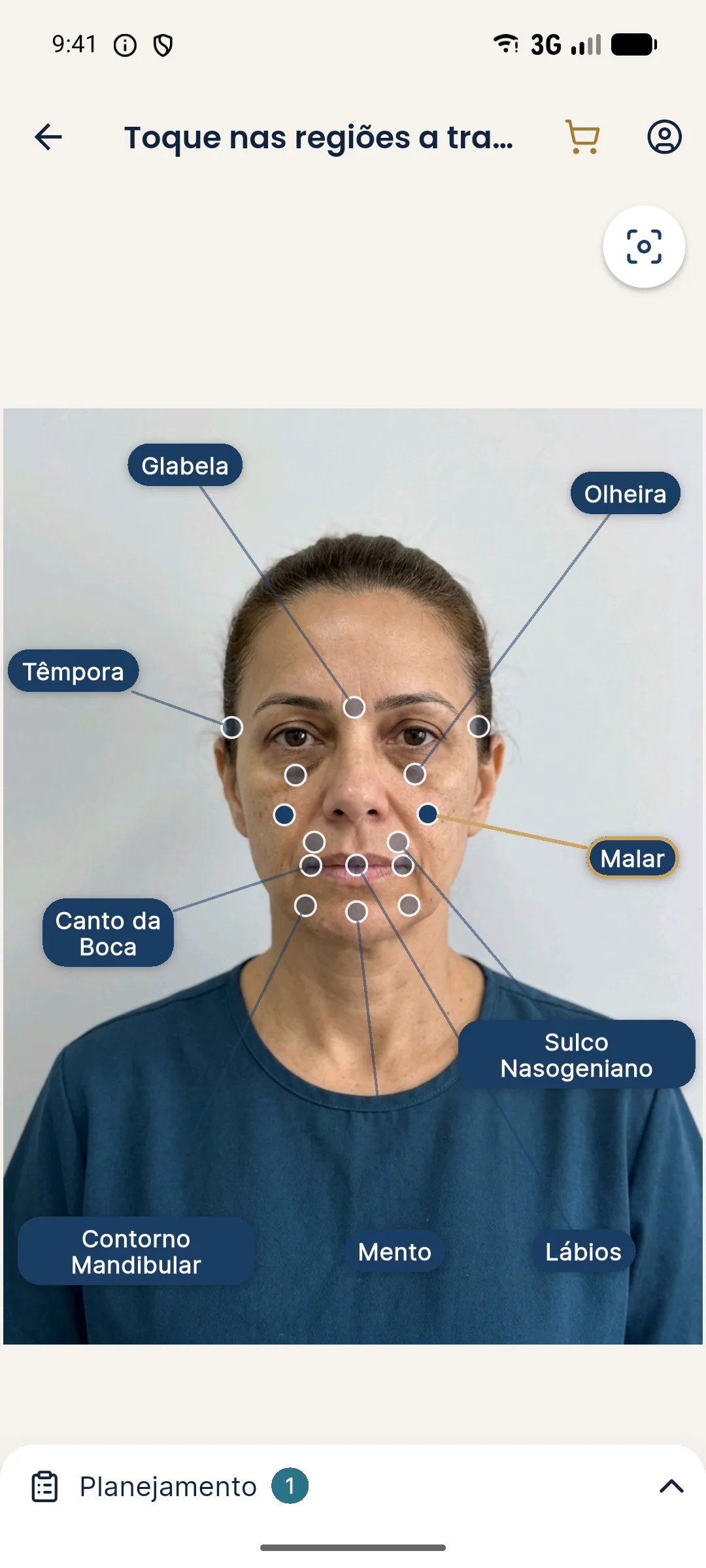
After taking or choosing the front-facing photo, the app detects the face on the device itself and shows the points with labels. The flow for the Cheekbone is short:
- On the marking screen, tap the Cheekbone point (or the label, if you prefer).
- Check that the point is active and that the areas you do not want are unmarked.
- Move on to the Plan and set the ml and intensity for the Cheekbone.
- Tap Create projection and wait for the image.
How many ml should I use on the Cheekbone?
The app's step is 0.5 ml, from 0.5 to 5 ml, and the value applies to both sides together. In Harmy's sample simulation the Cheekbone uses 2 ml, and the marking shortcuts bring 1 ml (Maintenance, Subtle) and 2 ml (Full harmonization, Moderate). These numbers are starting points for the conversation, not a dose recommendation: the real volume is the qualified professional's decision, after assessment.
| Scenario in the consultation | Starting point in the app | Expected reading |
|---|---|---|
| Maintenance of an area already treated | 1 ml, Subtle | Discreet change, comparable to a touch-up |
| Patient with no prior treatment in the Cheekbone | 1 to 2 ml, Moderate | Visible but contained difference |
| Request for more projection | above 2 ml, Pronounced | More evident change, which calls for a conversation about expectations |
The difference between ml and intensity is what raises the most questions: the ml says how much, the intensity says how strongly the change shows in the image.
What to expect from the Cheekbone projection
The AI changes only what was marked and preserves skin, expression, hair, background and lighting. That is why the change in the Cheekbone usually appears as a slight lift and fullness of the cheek, with a smooth transition to the rest of the midface. The more ml, the more noticeable; with little volume, the difference may be small, and that is the expected behavior of the app.
Drag the slider's gold line to compare and use two fingers to zoom. Full use is covered in using the Before and After slider.
Clinical precautions the projection does not replace
The Cheekbone is close to vascular and nerve structures, such as the infraorbital nerve and branches of the facial artery, and the page for the Cheekbone area summarizes the region. Complications such as swelling, bruising, asymmetry and, more rarely, vascular occlusion are part of the consent. When hyaluronic acid is used, hyaluronidase must be on hand. The app is a communication and visual planning tool, not a technical safety tool.
Good practices for a useful projection
Mark the Cheekbone alone the first time to understand how the AI responds, then combine it with other areas. If the image looks exaggerated, reduce the ml or switch to Subtle; if it looks timid, raise the ml in 0.5 steps before changing the intensity. See more in marking few areas and marking areas and volumes.
Frequently asked questions
Is the Cheekbone ml in Harmy per side or the total?
It is the total. In a bilateral area like the Cheekbone, the volume entered is split between both sides in the projection.
Which intensity should I use on the Cheekbone?
The default is Moderate. Subtle usually suits maintenance or patients who want discretion, and Pronounced is for when the patient asks for more definition, always at the professional's discretion.
Does Harmy show where to inject in the Cheekbone?
No. The app marks the area and the volume for the projection. Injection points, plan and technique are a clinical decision for the qualified professional.
Can I mark the Cheekbone together with other areas?
Yes, it is common to combine Cheekbone with Tear Trough or Jawline. Fewer areas usually make the projection easier to read.