
Treatment plan versions: how to control changes

Quick facts
- Topic
- Version control for the treatment plan
- Basic rule
- Every change creates a new version, with a date and a reason
- What to record
- Areas, ml, order, price, validity and who approved
- Benefit
- Prevents carrying out the wrong version and protects the clinic if questions arise
- Who decides
- Licensed professional and clinic policy
Every treatment plan changes. It changes when the patient decides to drop an area because of the quote, when the professional reassesses and swaps the order, when a complication comes up, when the patient changes their mind after seeing the simulation. The problem is not the change, which is natural, but the lack of a trail: the clinic does not know which version was approved, which was carried out and why the second differed from the first. Controlling versions with a date and a reason solves this with very little work. This page shows how.
Why version an HOF plan?
For three practical reasons. The first is clinical safety: it prevents the team from carrying out an old version, with areas or volumes that have already been discarded. The second is clarity with the patient: they know what was agreed and what changed. The third is documentation protection: if a question arises, the patient record shows the sequence of decisions and who approved them.
The idea is not to add bureaucracy. It is to keep a lean history in which each version answers four questions: what changed, when, why and who approved it. See also what the written plan should contain in what to include in the written treatment plan and facial treatment plan form: fields.
What goes into each version?
A complete version includes, at a minimum, the items below. Keep the format the same across all of them to make comparison easier.
| Field | Example content | Why it matters |
|---|---|---|
| Number and date | v2, date of the change | Identifies the order |
| Areas and ml | List by area, with total ml | Defines what will be done |
| Intensity used in the simulation | Subtle, Moderate or Pronounced, by area | Links the image to the plan |
| Order and stages | Stage 1, stage 2, planned interval | Prevents skipped steps |
| Price and validity | Price per area, validity in days | Separates commercial from clinical |
| Reason for the change | "Patient chose to postpone the chin" | Explains the difference from the previous version |
| Approval | Who approved and on what date | Protects both parties |
For the two versions that cause the most confusion (the "ideal" one and the "possible" one), it is worth labeling them explicitly. See conservative plan vs. complete plan.
When does a change become a new version?
Not every edit justifies a new version. A simple rule helps:
- Does it change the approach or the price? New version.
- Does it change only the wording? Fix it and note it, with no new version.
- Has the patient already approved the previous version? New version, with new approval.
- Does the change happen during the procedure? Record the deviation in the session; see recording plan deviations during the session.
A hypothetical example: in v1, the plan had cheekbone and nasolabial fold in one stage. After reassessment, the professional decides to do only the cheekbone and leave the fold for later. That creates v2, with a date and the reason "fold postponed for reassessment after the cheekbone response." The patient sees v2, approves it, and v1 is archived.
How to name and organize versions?
Simplicity beats sophistication. Use v1, v2, v3 with the date in YYYY-MM-DD format and a short sentence about the reason. Avoid "final," "definitive" or "new version," because the next version will make the name a lie. Keep them all in the same patient folder, with file names following a pattern (for example, patient, v2, date).
If the clinic has more than one professional, define who can create a version and who approves it. A plan changed by someone who did not talk to the patient is a common source of conflict. Handing a plan over between professionals is covered in handing over a plan between professionals.
How do simulations fit into the versions?
Each version of the plan can have its own projection. If the plan changed the ml or the areas, the old simulation no longer represents the approach. When you create a new version, generate a new projection and label the image with the version number. This keeps the patient from saving on their phone the image of a version that will not be carried out.
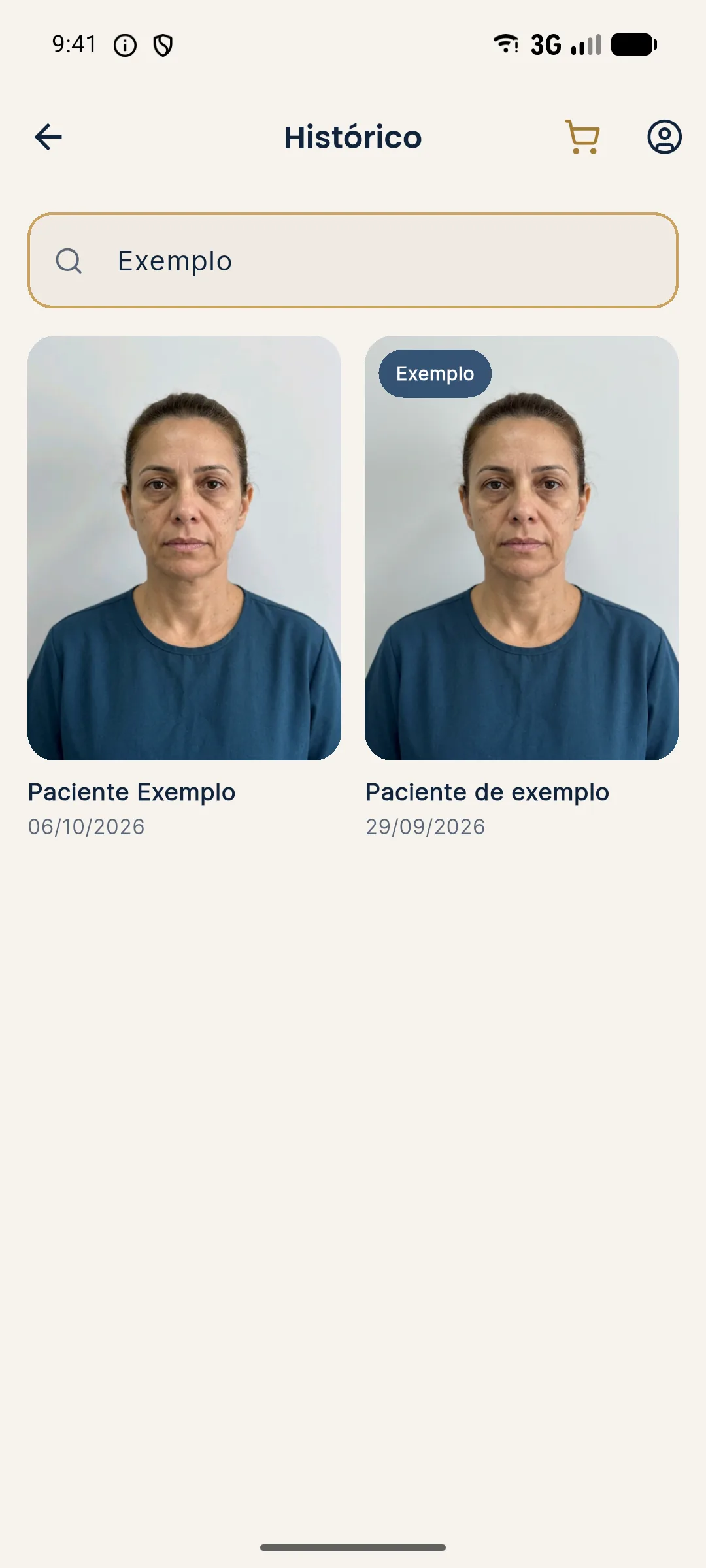
In Harmy, the per-patient history stores all projections, in order, with dates. You can use each projection as the record of a version and note the number and the reason separately. Each projection costs R$ 3.99, with no monthly fee, so it is worth generating a new one at every relevant change instead of reusing the old one.
See also saving simulation versions by follow-up and recording the simulation in the patient record.
And how does the patient take part?
The patient takes part when they receive the current version, understand what changed and approve it. A short message with the list of areas and ml, the price and the validity is enough. If the change is small, a confirmation by message can be sufficient, as long as the clinic records it. For bigger changes, it is worth talking in person and updating the consent form.
Beware of versions that circulate by message without identification. An image with no version number can be forwarded for weeks and come back at an appointment as "that plan you sent me."
How to protect privacy across versions?
A treatment plan carries health data and facial images, which are sensitive data. Keep versions in a place with restricted access, do not send them through uncontrolled channels, and delete what no longer needs to be kept, in line with the clinic's policy and the LGPD (Brazil's data protection law). See consent and LGPD for photos.
Checklist for the version routine
Quick review
Summary
Controlling plan versions means recording each change with a date, reason and approval, keeping the format consistent, archiving what is past and generating a new simulation when the plan changes. It is a small task that prevents carrying out the wrong plan and protects patient and professional. Harmy stores the projections in the history, but the numbering and the reason are up to you.
Frequently asked questions
Do I really need to version the treatment plan?
It is good practice. The plan changes with reassessment, with the quote and with what the patient wants. Without versions, it is easy to carry out something that has already been changed.
What changes from one version to the next?
Any item that alters the approach or the price: area, ml, order, intensity, price, validity. A typo fix with no clinical effect can be noted without a new version.
How should I name the versions?
Use simple numbering (v1, v2, v3) with the date. Avoid names like final or definitive, because a later version always shows up.
Does Harmy store plan versions?
Harmy stores each patient's projections in a history, and each projection can serve as the record of a version. You note the numbering and the reason for the change yourself.
Harmy images are illustrative simulations generated by AI from the patient's photo to support the conversation between practitioner and patient. They are not a promise of results. Indication, technique, product and volume are solely the decision of the licensed practitioner. This content is for information only and does not replace a clinical assessment.