
Recording the Simulation in the Patient Record
Quick facts
- Topic
- Patient record and facial harmonization simulation
- What to attach
- Simulation image, original photo and the parameters used
- What to describe
- Areas, ml, intensity, date and purpose of the image
- Core caution
- Record it as an illustration to support the conversation, never as an expected result
- Legal basis
- Facial data is sensitive data, handled under LGPD (Brazil's data protection law)
The simulation is an image produced during the consultation, and everything the patient sees in a facial harmonization consultation should leave a trace. If they later say "you showed me a different result," the record is the only way to show what was presented, with what volumes and with what notice. This page covers what to attach, how to describe it and what to avoid writing.
Why record the simulation?
There are three practical reasons. The first is documenting the communication: the record shows the patient saw an illustration, with its parameters and limits explained. The second is reassessing with a baseline: at follow-up, you compare the actual result with the illustration and the plan, instead of relying on each person's memory. The third is mutual protection: the record shows the image was treated as conversation support and not as a promise.
This care goes with ethics of result simulation and explaining that a simulation is not a guarantee. Someone who explains and records in the same act is better protected than someone who only explains.
What should you attach to the record?
Think of a package of four items that tells the full story of the consultation.
Keep the simulated image and the real photo in different folders or labels. When someone opens the record at a follow-up, they need to know at a glance which is which.
How should you word the text in the record?
The text should be short, factual and free of outcome adjectives. A four-line template is usually enough.
Adapt it to your practice's standard and your council's rules. The key point is the sentence that the image is an illustration, always worded the same way, so the pattern appears in every record.
What should you not write?
Some wording turns a record into a written promise. Avoid:
- "Expected result" or "predicted result" next to the image
- "Patient satisfied with the final result" when it refers only to the simulation
- Adjectives such as "natural," "harmonious" or "perfect" to describe the image
- ml values without a note that they are at the professional's discretion and may change
Prefer "planned volume," "simulated volume" and "at the professional's discretion, after assessment."
What is the role of consent and LGPD?
A photo of the face is sensitive personal data, and the simulated image is derived from it. The patient needs to know the photo will be used to generate the simulation and for what purpose. In Harmy, the photo is sent to a third-party AI to generate the image, with the professional's acceptance in the app, and the facial contours are calculated on the device itself and are not stored. Explain this to the patient in plain words and record that they understand.
See how to include this point in the document in simulation and informed consent: what to include and in informed consent. For the data protection view, read the entry on LGPD. All subject to your council's rules and your practice's legal guidance.
How does Harmy make recording easier?
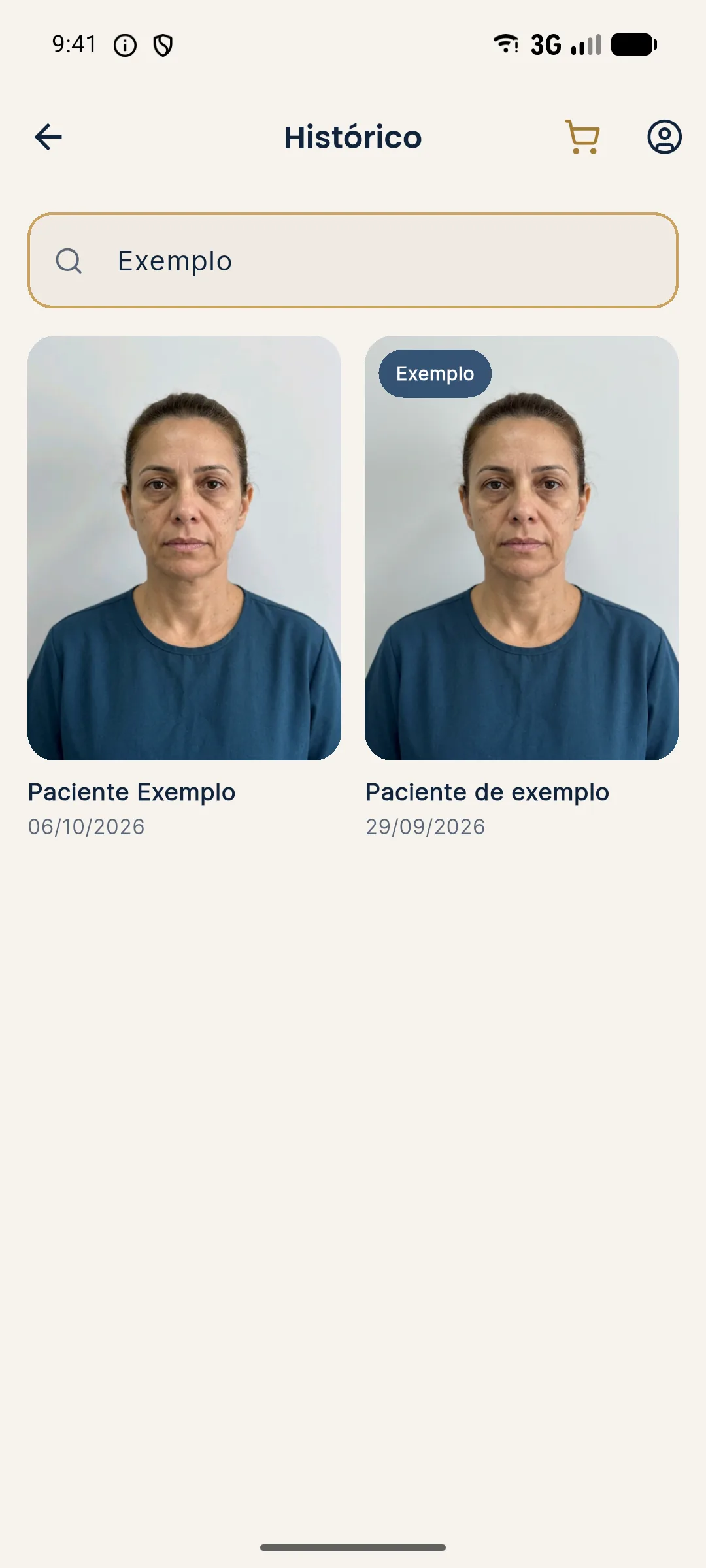
Harmy keeps History per patient, with search by name and each patient's sessions. Each projection carries the areas, ml and date, and the same record can be consulted at follow-up to compare with the real photo. When you add the actual result, the photo is aligned by the eyes and you can compare Projection, Actual result and Projection vs Actual.
To organize versions throughout the treatment, see keeping simulation versions per follow-up and organizing projections by patient.
What is the difference between recording and archiving?
Recording is describing in text what happened in the consultation. Archiving is keeping the image and files in secure storage. You need both. A file without text does not show the context, and text without a file proves nothing. Define who accesses the images, where they are stored and for how long, and document this internal policy. If the patient asks for a copy or deletion, the workflow must be ready before the request arrives.
How do you link the record to the rest of the plan?
The simulation should be tied to the written treatment plan and the quote, forming a chain: concern, assessment, plan, simulation, quote, consent, procedure and follow-up. If one of those links is loose, the record loses coherence. See what to include in the written treatment plan and facial treatment plan form: fields.
What if the patient changes their mind after the simulation?
It happens often: the patient approves the image in the consultation, goes home, talks with family and asks for something else. Each new version of the simulation is a new document, with its own date. Do not replace the earlier one, and do not delete the first to "clean up" the history. The sequence of versions shows the plan was built with the patient and not imposed. In the record text, indicate which version was approved and which was discarded, with one sentence on why, for example "patient preferred to reduce chin volume after reviewing the image at home."
Also record when the simulation was not shown. In some consultations the professional decides not to use an image, for clinical reasons or because of the patient's profile, and that decision can be justified in the record. With patients who have unrealistic expectations, for example, showing an illustration can reinforce the distortion. See when the simulation gets in the way of the plan and when the simulation helps the plan.
Who should have access to the record?
Define the minimum access needed. In a clinic with several people, not the whole team needs to see patients' images. The responsible professional and whoever takes part in the care are enough; the front desk generally needs only administrative data. If there is a change of professional, the plan handover includes the simulation and the history, and this should be agreed with the patient. For this workflow, read plan handover between professionals.
If the image is sent to the patient by message, record the sending (date and channel). Sending it from the professional's personal phone chat mixes work data with personal data and makes it harder to honor a deletion request later.
Frequently asked questions
Does the simulation have to go in the patient record?
There is no single answer, and guidance varies with your professional council's rules. In practice, many professionals record the simulation because it documents what was shown and agreed with the patient. Check your council's requirements.
How do I describe the simulation without it sounding like a promise?
Write it as support material for the consultation: 'illustrative simulation presented to the patient, no guarantee of results.' Record the parameters used and the date, and avoid outcome adjectives such as 'it will look like this.'
Can I keep the simulation image alongside the clinical photos?
You can, as long as it is labeled as a simulation and kept apart from real photos. Mixing the two causes confusion in reassessments and in any later questioning.
Can the patient ask for the simulated image to be deleted?
Patients have rights over their data under LGPD, and face images are sensitive data. Retention periods for the patient record follow your council's rules, so align the deletion workflow with them.
Harmy images are illustrative simulations generated by AI from the patient's photo to support the conversation between practitioner and patient. They are not a promise of results. Indication, technique, product and volume are solely the decision of the licensed practitioner. This content is for information only and does not replace a clinical assessment.