
How to mark the temple in Harmy and what to expect
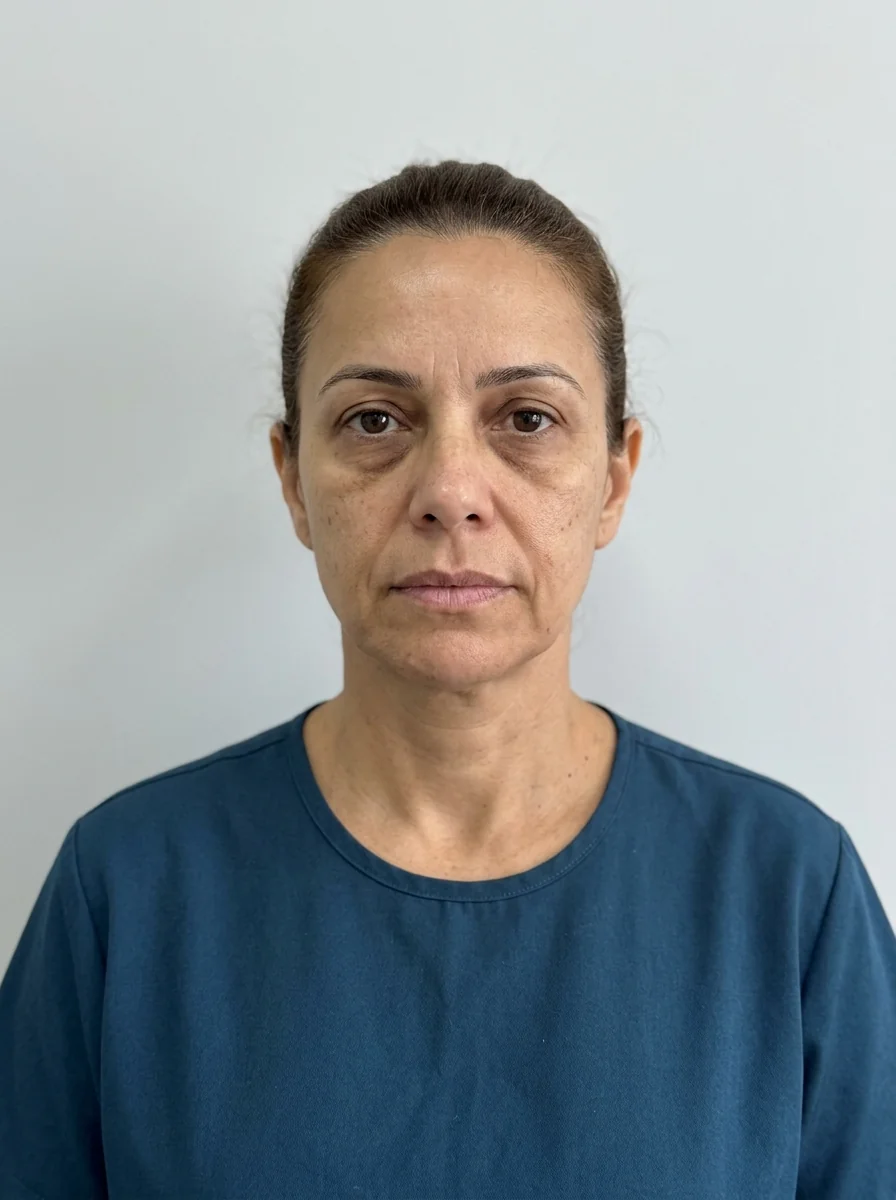
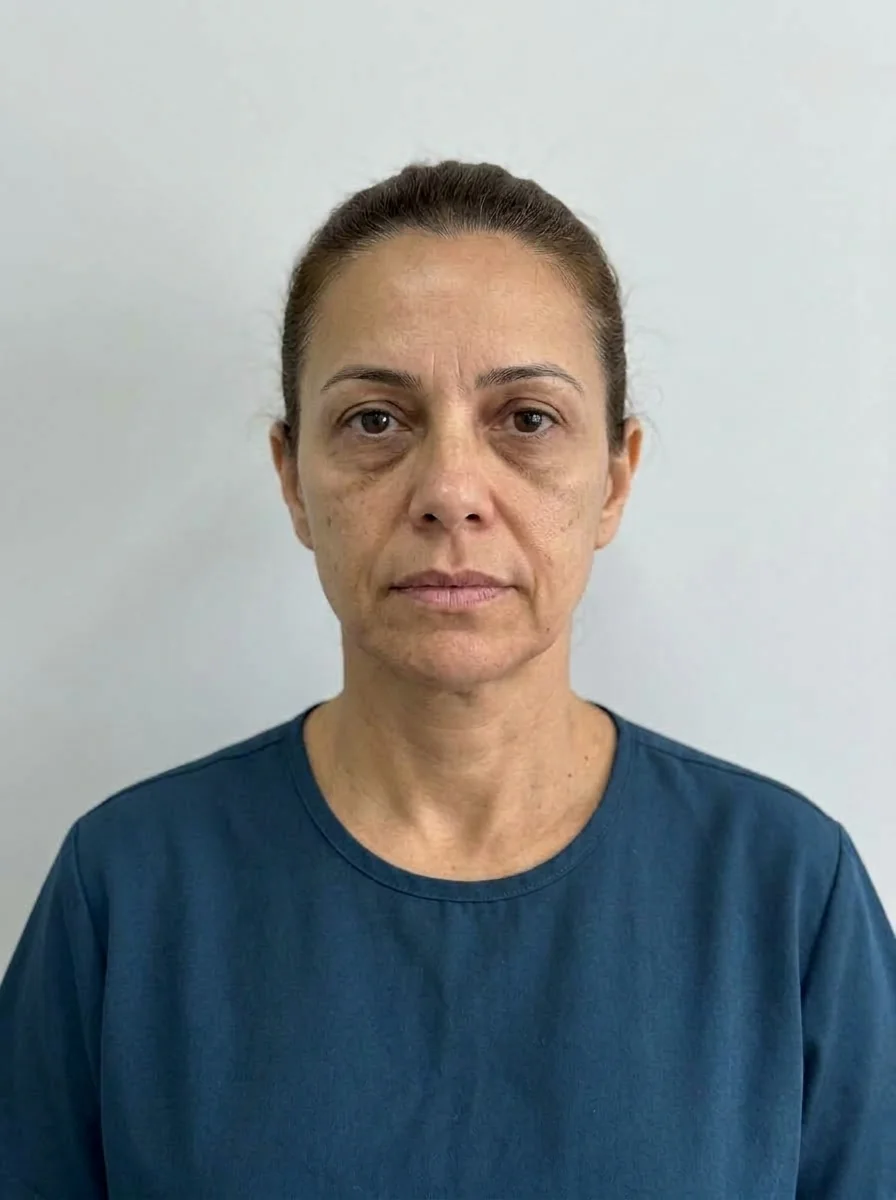 BeforeSimulation
- Artery
Quick facts
- Point in the app
- Temple
- Volume in the example simulation
- 2 ml in total, split between both sides
- Intensity
- Subtle, Moderate or Pronounced (default Moderate)
- Area risk
- High vascular risk
The temple is one of those areas that patients rarely name but that professionals notice from across the room: the lateral hollowing changes how the forehead, the contour and even the apparent age read. That is why the projection tends to surprise, and the conversation that follows deserves care.
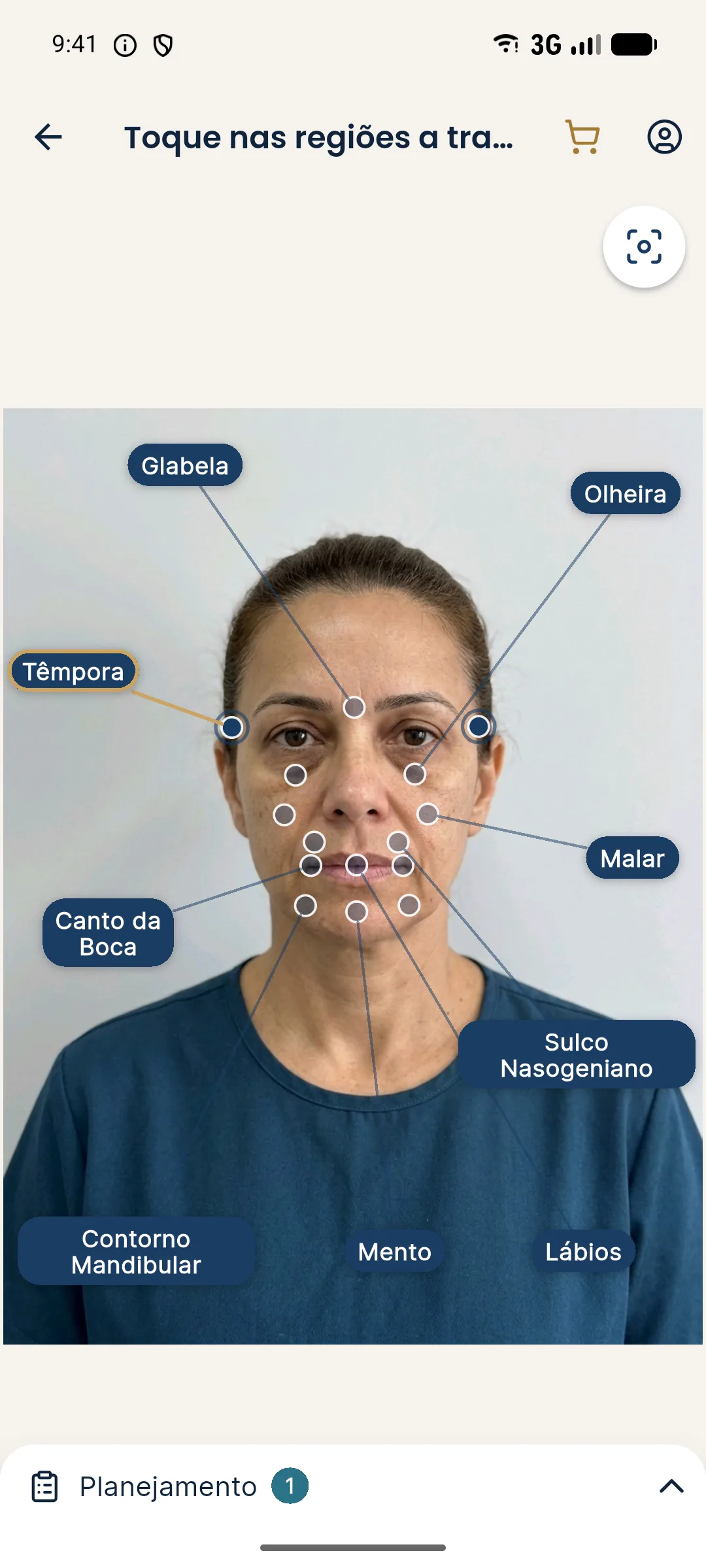
How do you mark the Temple in Harmy?
- With a standardized frontal photo, go to the marking screen.
- Tap the Temple point, on the side of the forehead.
- In the Plan, adjust ml and intensity.
- Tap Create projection and compare in the slider.
How many ml and what intensity?
The example simulation uses 2 ml on the Temple, split between both sides. The app step is 0.5 ml, from 0.5 to 5 ml. That number is a starting point, not a dose: the actual volume is set by the qualified professional after assessment.
| Scenario | Starting point | Reading |
|---|---|---|
| Mild hollowing | 1 ml, Subtle | Soft change |
| Evident hollowing | 2 ml, Moderate | More continuous lateral contour |
| Request for more | above 2 ml, Pronounced | An expectations conversation is needed |
To understand how ml and intensity combine, see ml and intensity.
What to expect from the image?
The AI fills the hollow of the temple and smooths the transition to the forehead and the zygomatic bone. Because the app only works with the frontal photo, the real depth of the hollow does not always show well; an in-person clinical reading is indispensable. One point to watch: with the head slightly tilted, the hollow looks more or less deep, and that changes the image.
Best practices
Show the Temple together with other areas only if the conversation calls for it. In many cases, it alone already changes how the upper third reads considerably. To learn more about the indication, see temple filler and marking areas and volumes.
Common mistakes when marking the Temple
The first mistake is a photo with hair covering the side of the forehead. The AI needs to see the area to change it, and without that the projection comes out weak or with odd transitions. Ask the patient to tie back or push aside their hair.
The second is lighting. Strong light from above marks the brow bone and exaggerates the hollow; dim light hides it. Use frontal, diffuse light so the hollow appears as it really is.
The third is the expectation that the temple changes the whole face. It can soften how the upper third reads, but it does not solve concerns about the forehead, brow or under-eye area. If the patient expects more than that, talk before opening the slider. For consultation wording, see explaining the temples to the patient.
One last caution is clinical: because this is a high vascular risk area, the app page should not be used as an argument to downplay the risk in the conversation. Talk about the expected benefit and the risks in the same tone.
Frequently asked questions
Is the Temple ml in Harmy per side?
It is the total. In a bilateral area, the volume you enter is split between the two temples in the projection.
What change does the Temple projection show?
The AI softens the hollow of the temple in the image, according to the ml and intensity, without changing the rest of the face.
Is the temple a risk area?
Yes. It contains vessels such as the superficial temporal artery and associated branches, and vascular complications are part of the informed consent. Hyaluronidase must be available.
Can I mark Temple and Cheekbone in the same projection?
Yes, the combination is common in the upper and middle third. Compare with a Temple-only projection to see the isolated effect.