
How to mark the chin in Harmy and what to expect
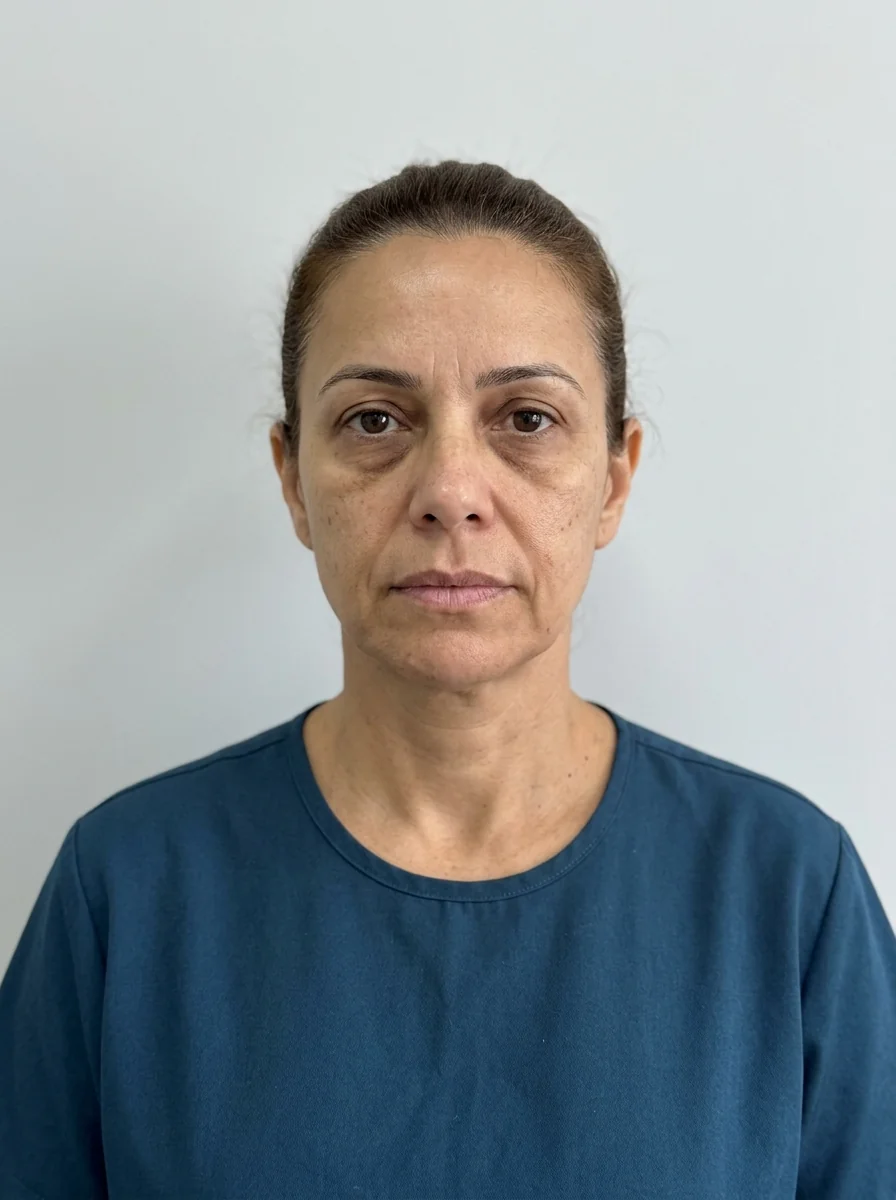
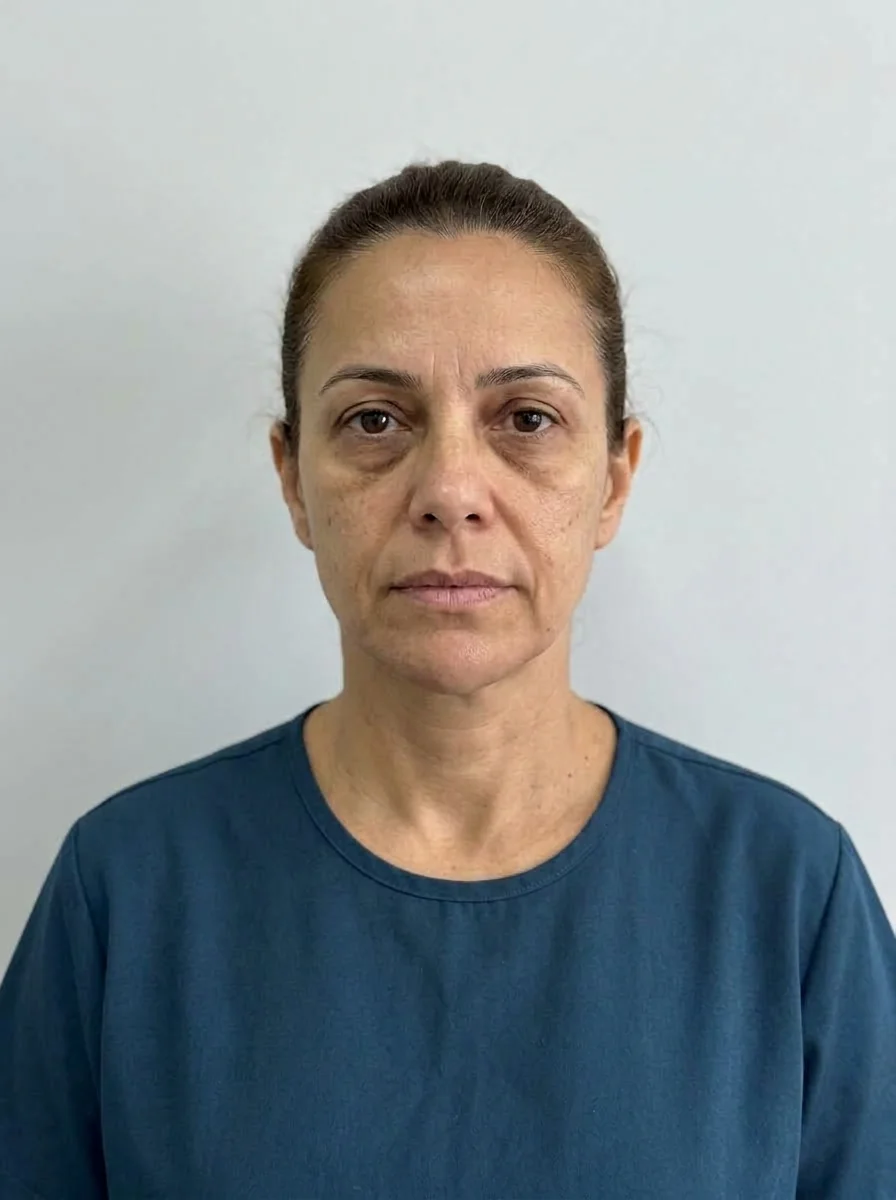 BeforeSimulation
- Artery
- Nerve
- Highlighted area
Quick facts
- Point in the app
- Chin
- Sample simulation volume
- 1 ml
- Shortcut that uses the Chin
- Full harmonization (1.5 ml, Moderate)
- App limitation
- The projection uses only the front-facing photo and does not show the profile
The chin is an area where the front-facing photo tells little of the story: much of the chin assessment happens in profile. Even so, Harmy's Chin point is useful for showing the patient how the base of the face may look longer, shorter or more defined in a front view. This tutorial explains the marking and the limitations you should know before presenting the image.
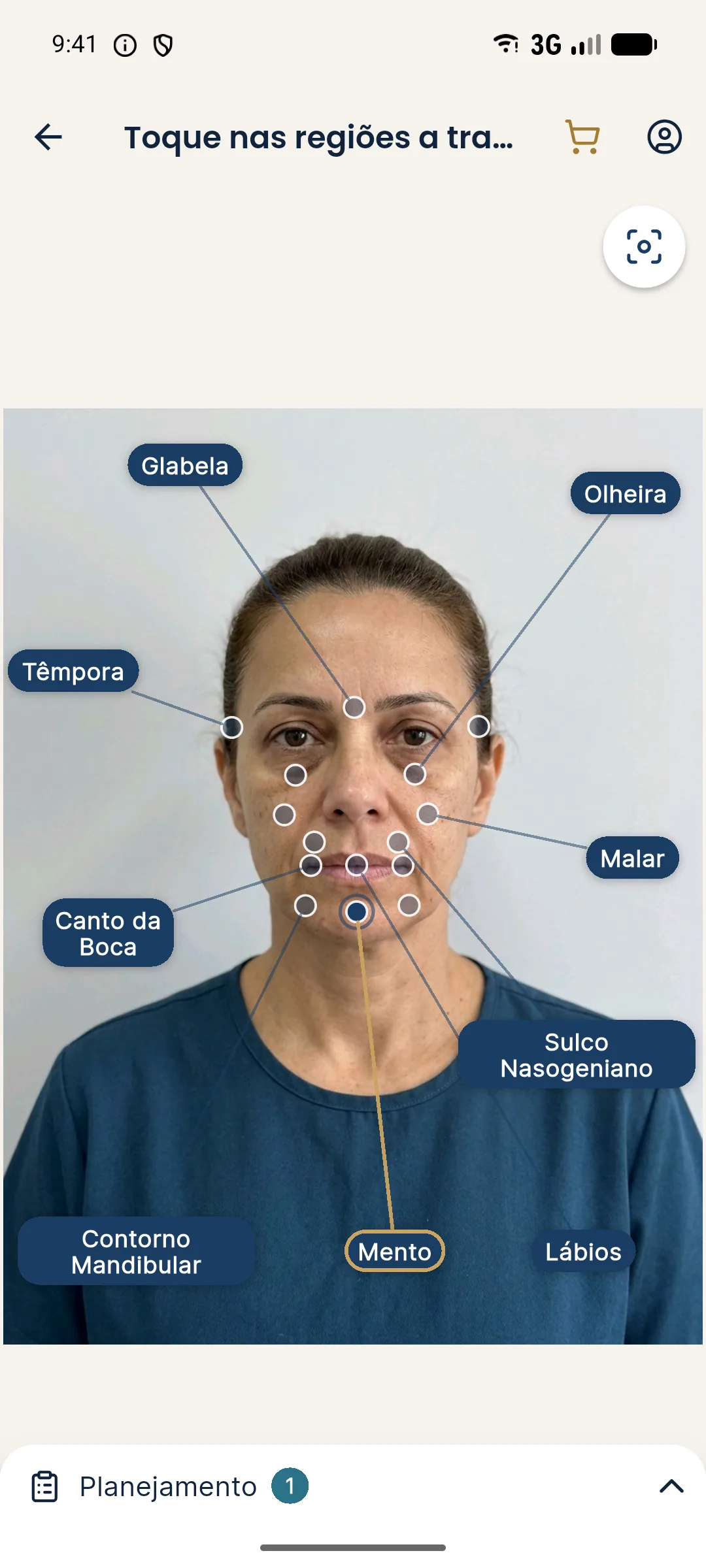
How do I mark the Chin in Harmy?
- Create the projection with a well-standardized front-facing photo.
- In the marking, tap the Chin point, on the lower part of the face.
- In the Plan, set the ml and the intensity.
- Tap Create projection and compare on the slider.
What can the front-facing photo show about the chin?
In a front view, the app can suggest a change in apparent height and in the width of the base of the face. It does not show advancement or recession, because the projection uses neither a profile nor a 45-degree view. For that reason, telling the patient "see how your chin will look from the side" would be misleading. Profile assessment remains clinical, for example with assessment by thirds and standardized photography.
How many ml and which intensity?
The app's sample simulation uses 1 ml on the Chin. The Full harmonization shortcut sets 1.5 ml with Moderate intensity. The step is 0.5 ml, from 0.5 to 5 ml.
| Goal discussed | Starting point | Note |
|---|---|---|
| Soften the base of the face | 0.5 to 1 ml, Subtle | Discreet difference, easy to accept |
| Show a clear direction | 1 to 1.5 ml, Moderate | Balanced reading on the slider |
| Patient asks for more | above 1.5 ml, Pronounced | Align expectations before showing |
The ml is a conversation tool. The amount to inject is defined by the qualified professional, after assessment. To understand the two controls, see ml and intensity.
How do I read the result on the slider?
Drag the gold line and look at three things: the height of the chin relative to the lower lip, the width of the base and the harmony with the jawline. The AI preserves expression, skin and lighting, so any visible change comes from the marked area. If the difference looks small, that is consistent with low volumes.
Clinical precautions
The mental nerve and vascular branches run through the chin area, described on the page for the Chin area. Possible complications include swelling, bruising, asymmetry and, with hyaluronic acid, a rare vascular risk, which calls for hyaluronidase on hand. The app's projection neither replaces nor guides any injection technique.
Good practices
Mark the Chin alone first; then combine it with Lips or Jawline if the conversation calls for it. See good marking practices and marking the jawline for the neighboring area.
Common errors when marking the Chin
The most frequent error is using a photo with the chin slightly pushed out or tucked in, which changes the apparent height of the lower third and misleads the reading of the Before and After. Another is marking Chin and Jawline together on the very first attempt: the change from two neighboring points blends together and the patient cannot tell which one caused the difference.
It is also worth managing expectations about asymmetry. The chin usually has some natural asymmetry, and the AI starts from the real face. If there is an evident deviation, the projection does not correct it on its own, and that conversation needs to happen at the assessment. For this topic, see explaining the chin to the patient.
Finally, remember that the app's Chin point covers both filler and mentalis toxin under the same marking point. The difference between the two is clinical and does not appear as an option in the image, so make clear to the patient which approach you are talking about when you show the projection.
Frequently asked questions
Does Harmy show the chin projection in profile?
No. The projection starts from a front-facing photo, so chin advancement in profile is not shown. A conversation about the profile needs a different assessment.
How many ml should I mark on the Chin?
The sample simulation uses 1 ml and the Full harmonization shortcut uses 1.5 ml at Moderate. These are starting points; the real volume is the professional's decision.
Does the Chin projection take toxin in the area into account?
The app works with the volume in ml of the marked area. Any decision about toxin or filler in the chin is clinical and stays outside the image.
Does the Chin change the jaw in the projection?
Only if you also mark the Jawline. The AI changes only the marked areas.